Fieldset - Filter builder
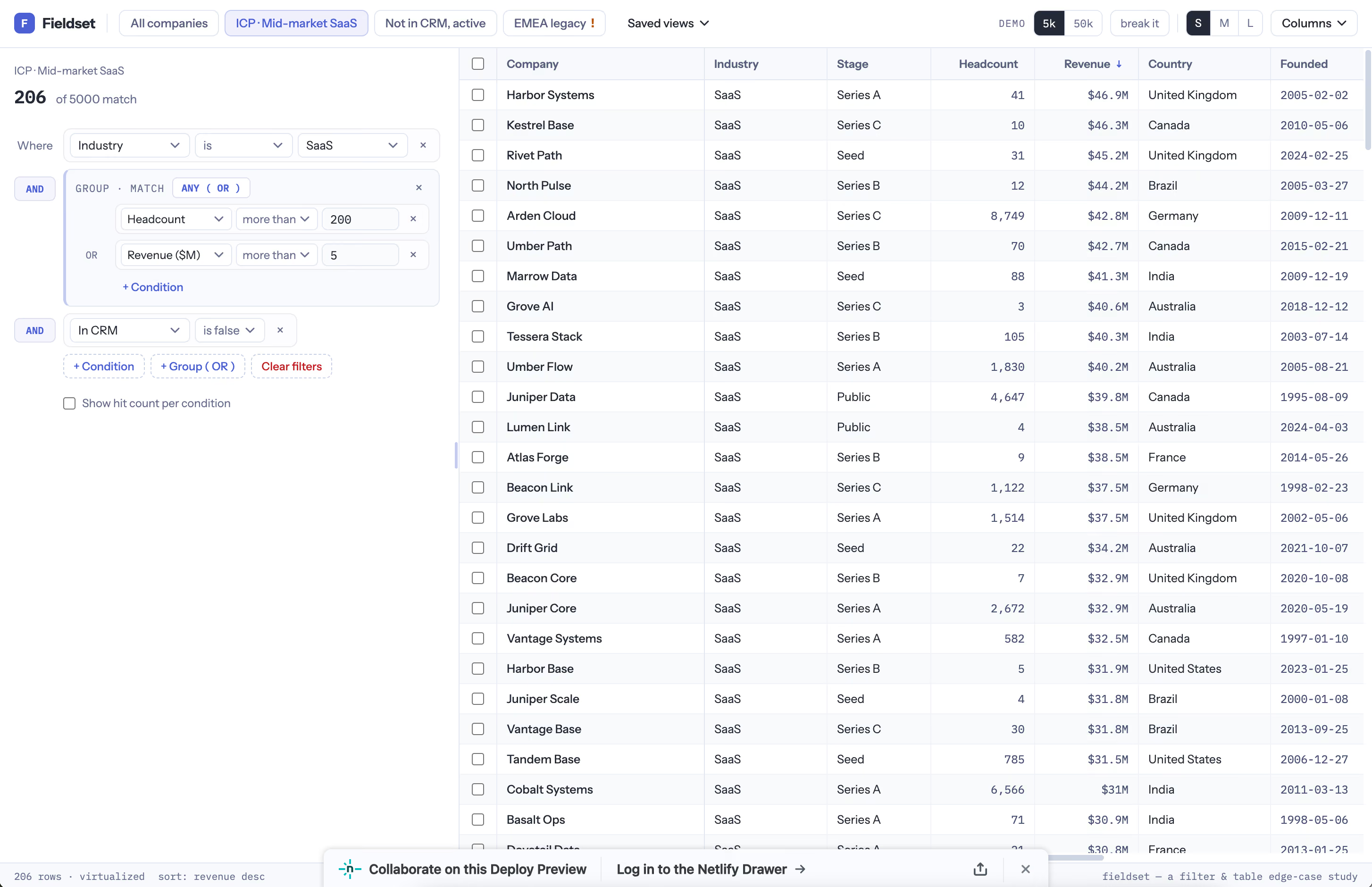
Every B2B tool has a filter builder, and every demo shows the same happy path. Pick a field, pick an operator, type a value, get rows.
I wanted to build what comes after that. Almost everything here turned out to be about the same thing: not throwing away your work, and not guessing what you meant.
Say you select 206 companies. Then you tighten the filter, and only 173 of them still match. Did you mean those exact 206 companies, or did you mean whatever the filter finds? There's no way for the app to know. Most apps quietly pick one. This one asks, shows you both numbers, and lets you choose: keep all 206, drop down to the 173, or start over.
Saved views work the same way. Edit one, switch to another, come back, and your edits are still there, marked unsaved, with the saved version one click away. Most apps either throw the edits out or write them in without asking.
Or someone deletes a field that a saved view still uses. Most apps break, or hand you an empty table. This one still works. It flags the dead condition, skips it, and lets you point it somewhere else.
There's also a view called “All companies” that can't be renamed, deleted or saved over. It's the way back. I added that after saving over it by accident.
The filter panel itself you can drag wider or narrower. Past a certain width it changes shape instead of just squashing: the AND/OR markers leave their own column and sit above each row.
Try these in the demo.
- Tick two or three rows. Press Select all 206 matching in the bar at the bottom. Now change Headcount from 200 to 900.
- Open ICP · Mid-market SaaS, change something, switch to another view, then switch back.
- Click EMEA legacy. It points at a field that doesn't exist anymore.
- Drag the right edge of the filter panel until it changes shape.
- Flip 5k to 50k and scroll. Shift-click two column headers to sort by both.
It's React and TypeScript, no backend. The 50,000 rows are made in your browser and come out the same every time. Only about 30 rows exist at once, the rest is empty space faking the scroll.
The filtering, sorting, selection and saved-view logic all sit in plain functions with no React near them. That's the only reason I could test the tricky parts properly instead of clicking around and hoping.
Nothing survives a reload except the width of the panel. Export CSV just shows a toast.