Rock Gomes

Care home medication cycles

Well · 2026 · pharmacy backoffice

Well, a UK pharmacy, was building a backoffice for the care homes it supplies. The project was big, it had one designer, and go-live was close. I joined to own the backoffice and the design system, so the other designer could focus on another area.

role
Senior Product Designer, contract. Owned the care homes backoffice and the design system.
context
Well (Bestway Group), a UK pharmacy. The backoffice gets its prescription data from the NHS. The pharmacy team that dispenses medication for care homes uses it every day.
made
A map of the order stages, the 28-day cycle view, the design system parts behind it, and a working prototype of the cycle view.
tools
Figma, FigJam, Claude

problem

One designer on a big project. The design system was falling behind, and the go-live date was close.

decision

Map the system first, then design and ship flow by flow, fixing the design system as each flow needed it.

result

Went live on time. The pharmacy team said the new 28-day cycle view made their daily work faster.

well-medication-cycles.netlify.app
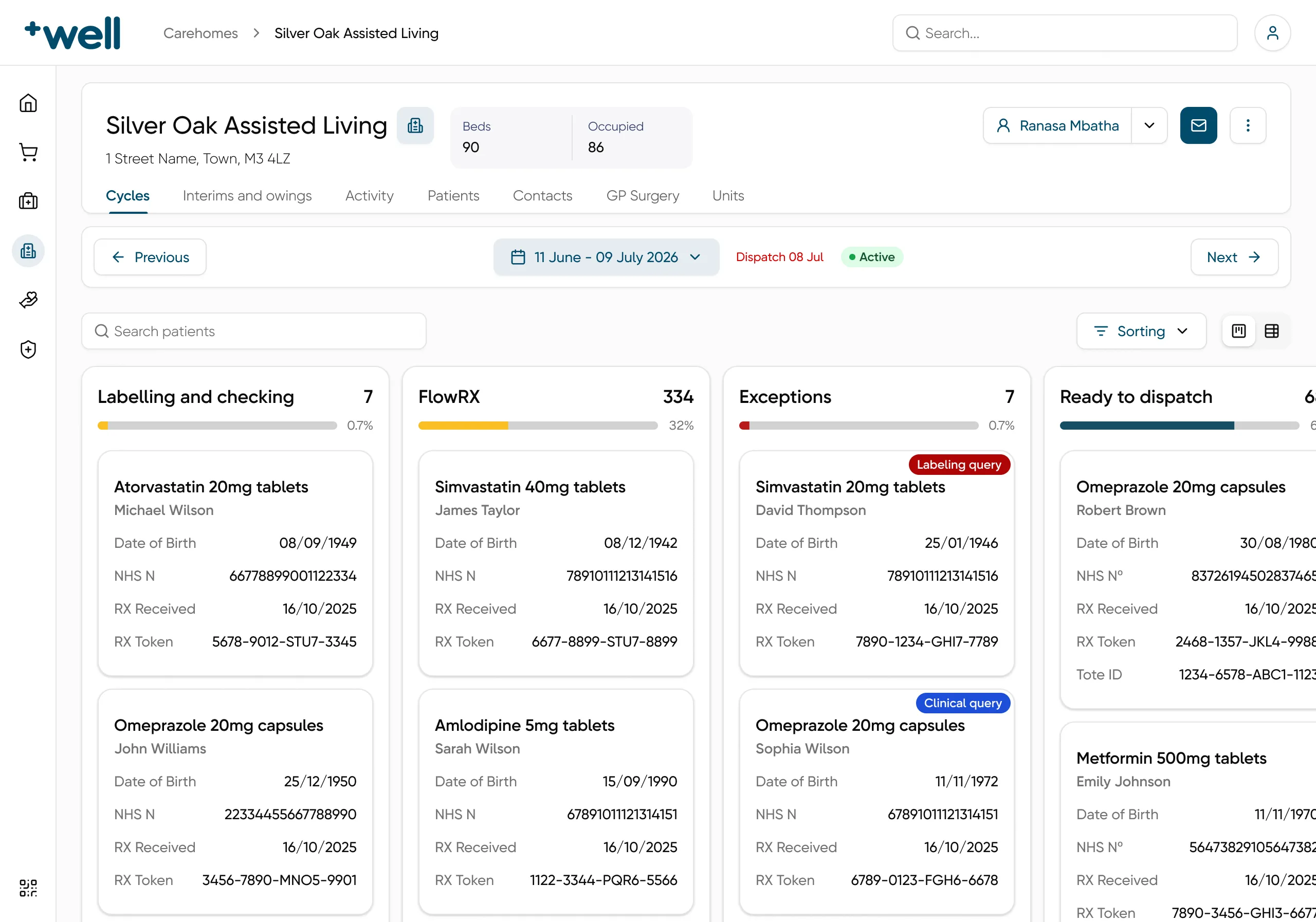
Care home medication cycles, working prototype, a still picture
The working prototype of the cycle view, scaled to fit. A short tour shows what to try.

Map the system first

before any screen

mapping

Map the system before drawing

An order goes through many stages before it reaches the care home, and some of them can loop back. With Claude, I turned what I knew into a map of the order stages in FigJam. Then I checked it with the team. The order stages became the columns of the cycle view.
Order stages, from request to delivery. An exception goes back to FlowRX once it is resolved.

Inside the cycle view

one care home, one cycle at a time

stages

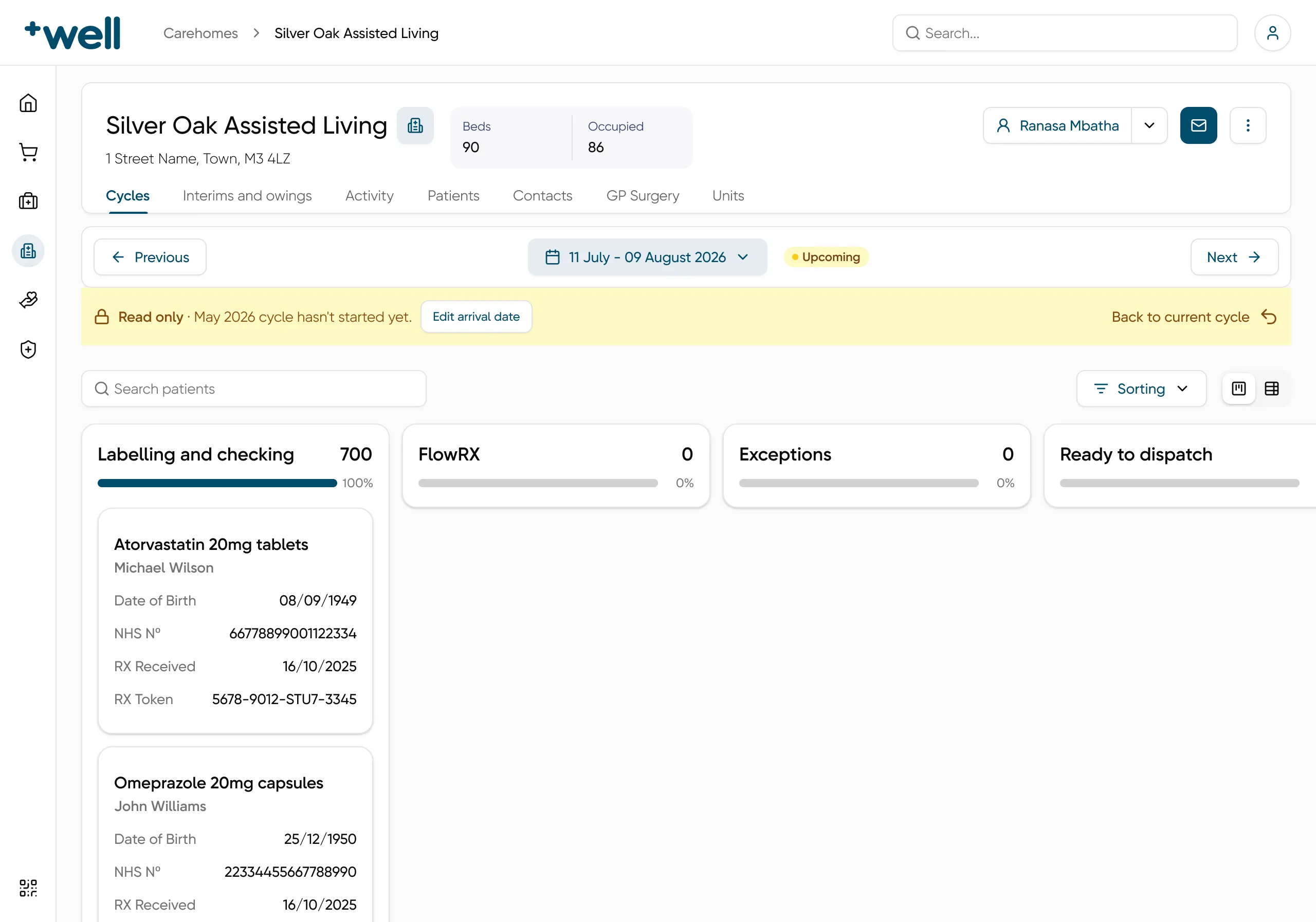
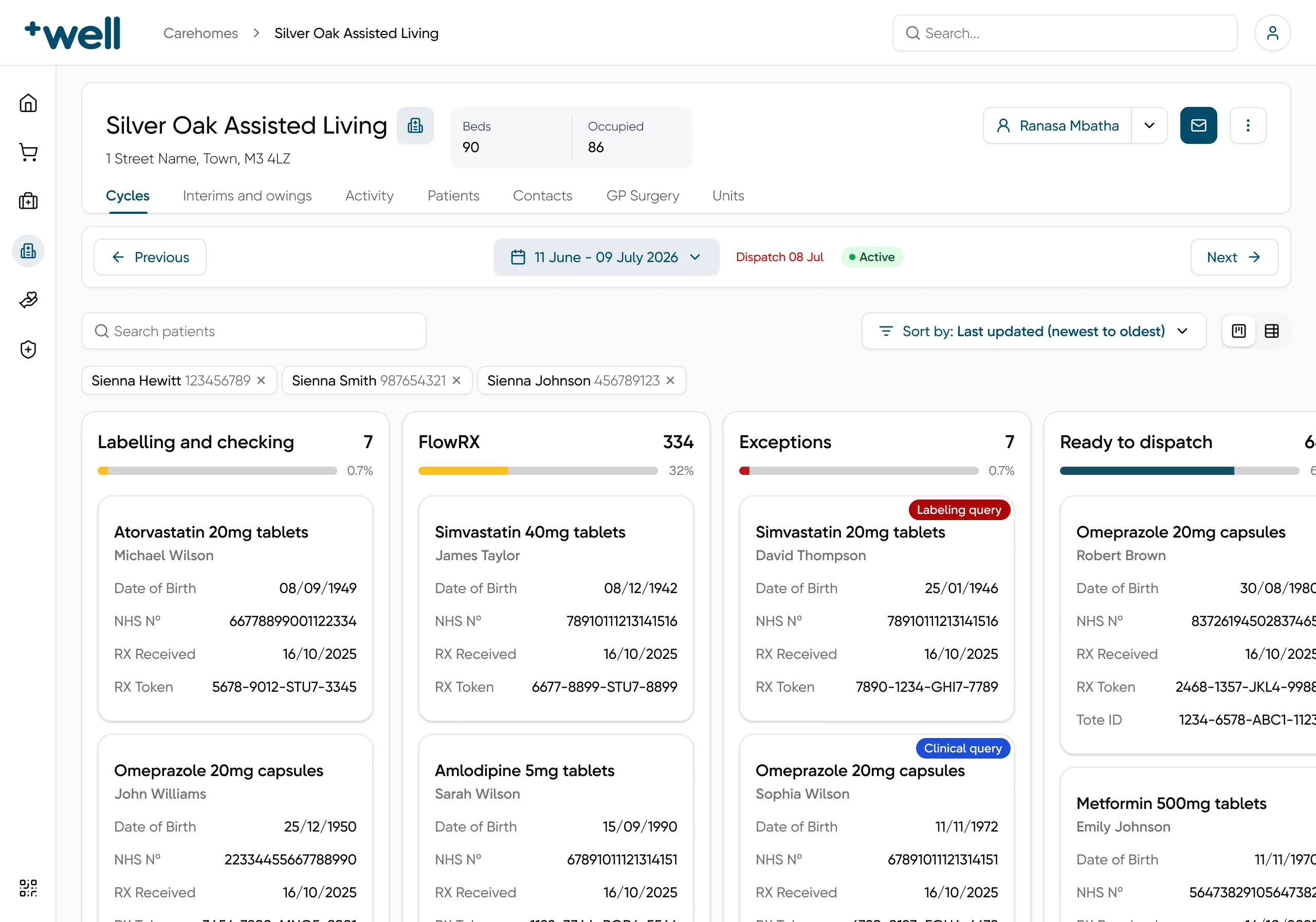
One column per stage

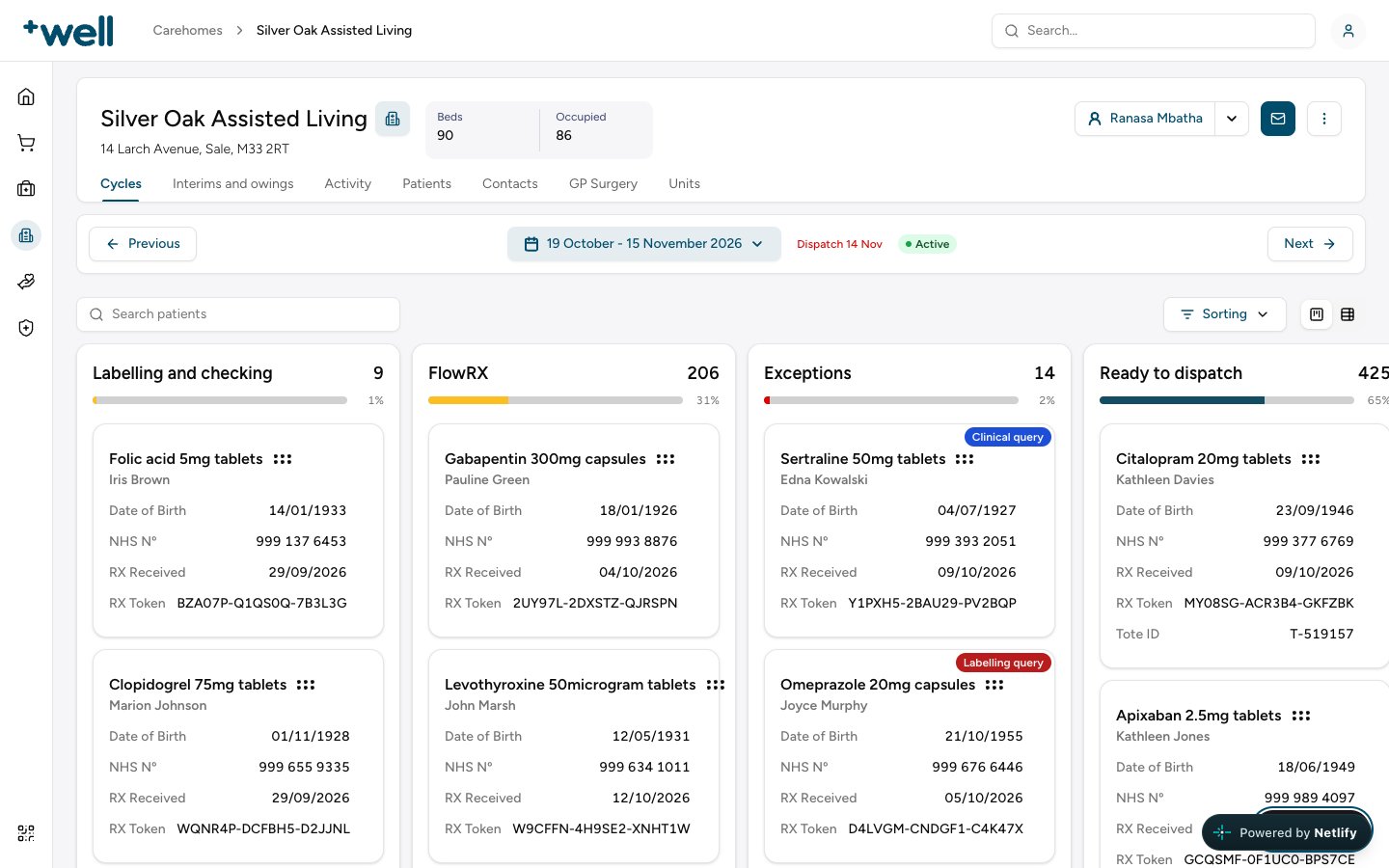
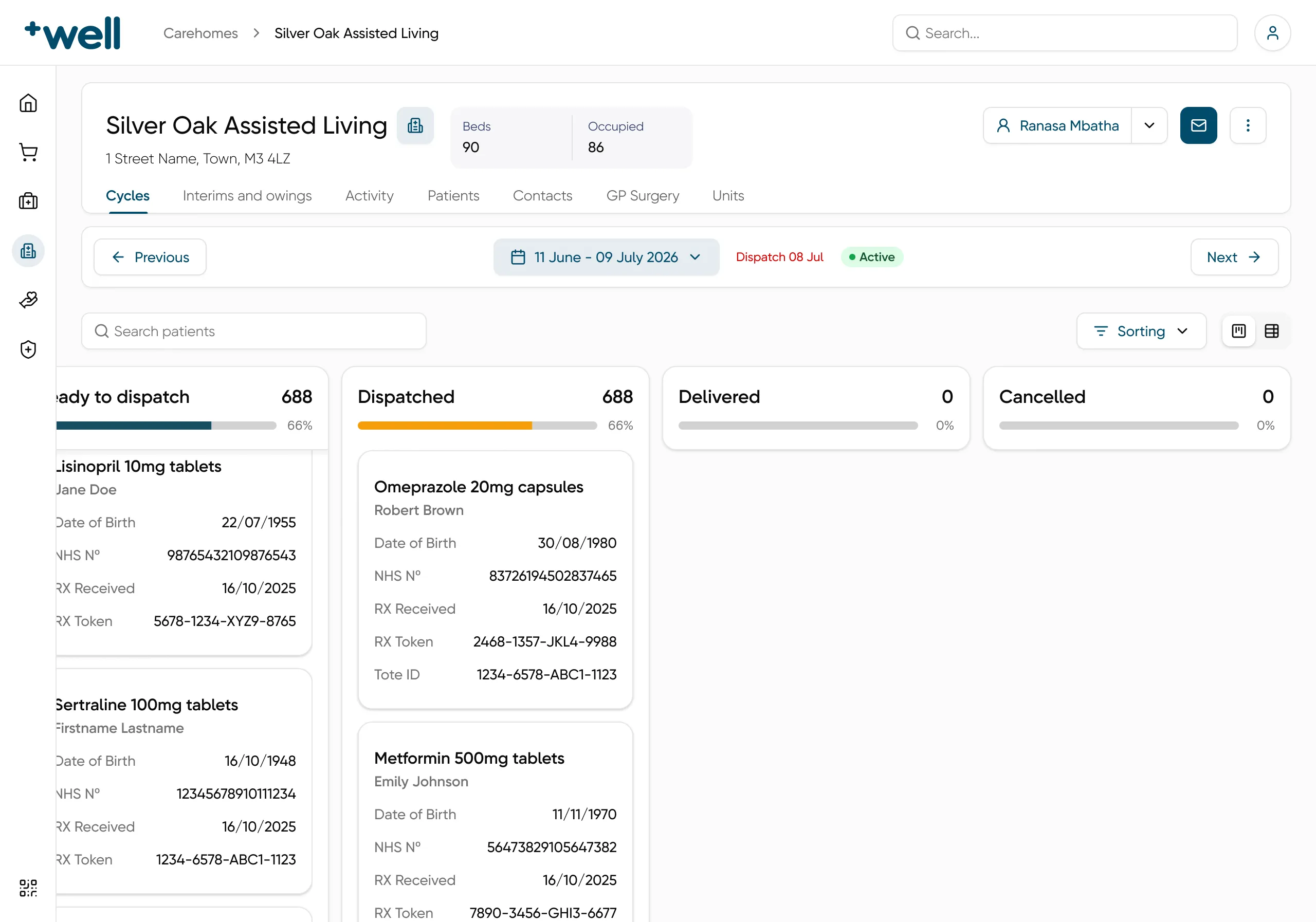
Each stage is a column, with the number of orders in it and a bar for its share of the cycle. The board scrolls sideways to the later stages: Dispatched, Delivered and Cancelled. An order in Exceptions gets a badge that says why, like a labelling query or a clinical query.

The board with Labelling and checking, FlowRX, Exceptions and Ready to dispatch. Two exception cards have a Labeling query and a Clinical query badge.
Labelling and checking, FlowRX, Exceptions and Ready to dispatch. The two exceptions show their reason.

cycles

Every cycle in the same place

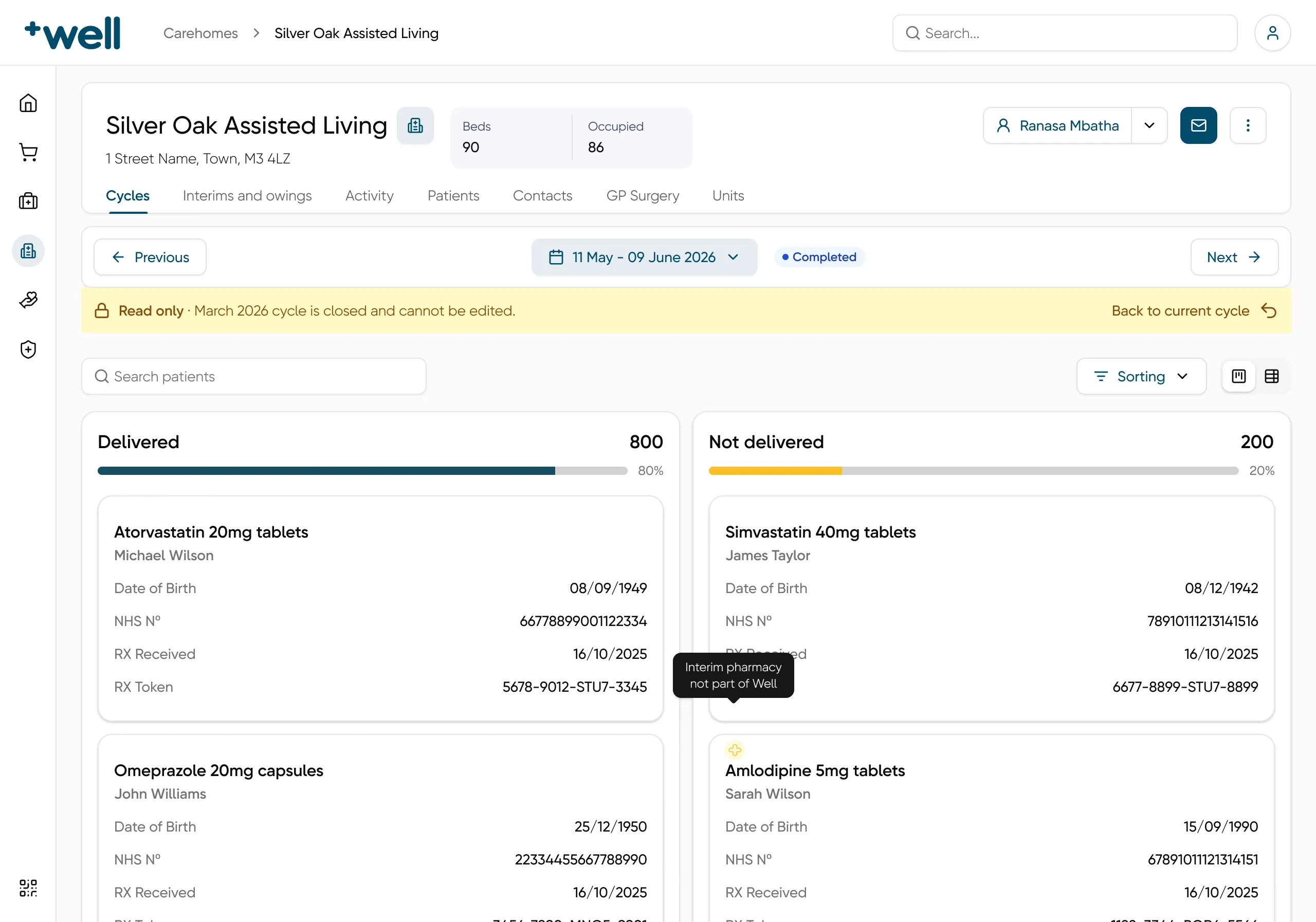
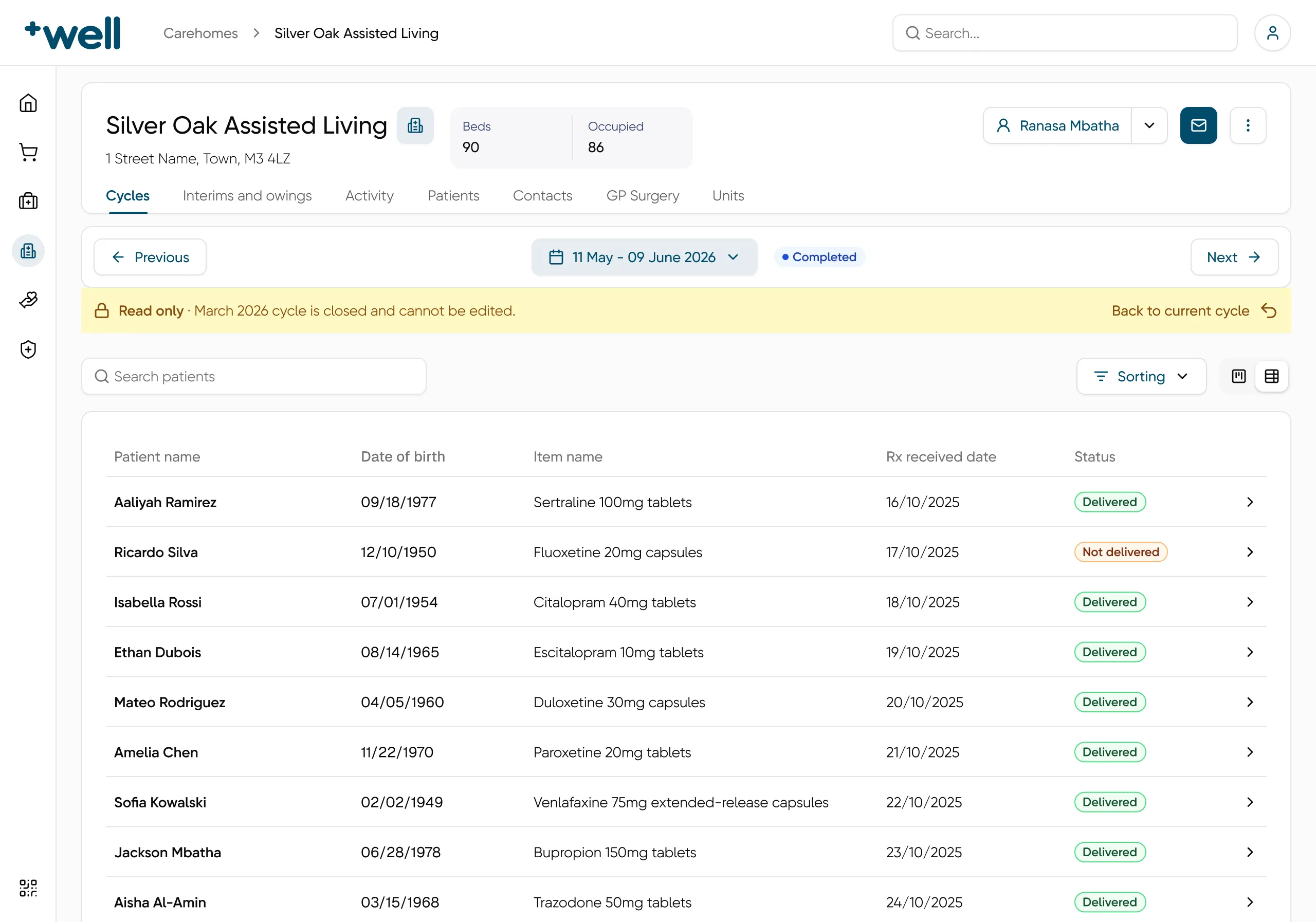
Previous and Next move between cycles. A pill says if the cycle is active, upcoming or completed, and the active cycle shows its dispatch date. A past cycle is closed, so there is nothing to edit. A future cycle has nothing to act on yet, so it is read only too, with one exception: the arrival date. If there is a problem on that day, the team can move it. Both show a banner and a way back to the current cycle. A completed cycle shrinks to two columns, delivered and not delivered.

An upcoming cycle with a yellow Read only banner, an Edit arrival date button and Back to current cycle. All 700 orders are in Labelling and checking.
The next cycle: read only, except the arrival date. Every order is still in Labelling and checking.

dates

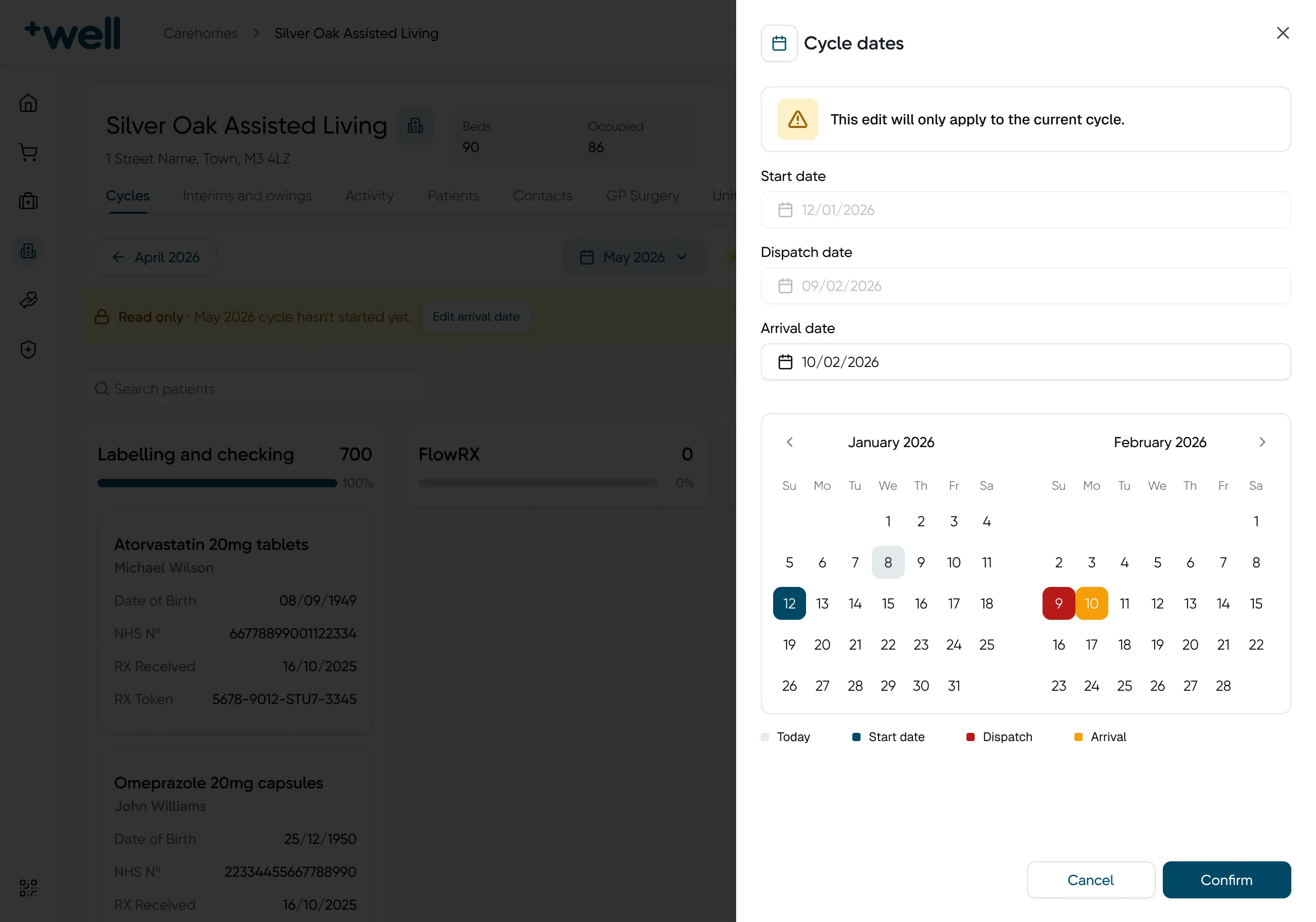
Change the dates of one cycle only

Cycle dates can change, for example the arrival date. The edit opens in a side panel and says up front that it only changes this cycle. The calendar marks the start, dispatch and arrival dates in their own colours.

A Cycle dates side panel with a warning, three date fields and a two-month calendar. The start, dispatch and arrival dates each have their own colour, with a legend.
Cycle dates: start, dispatch and arrival, with a warning that the edit only changes this cycle.

search

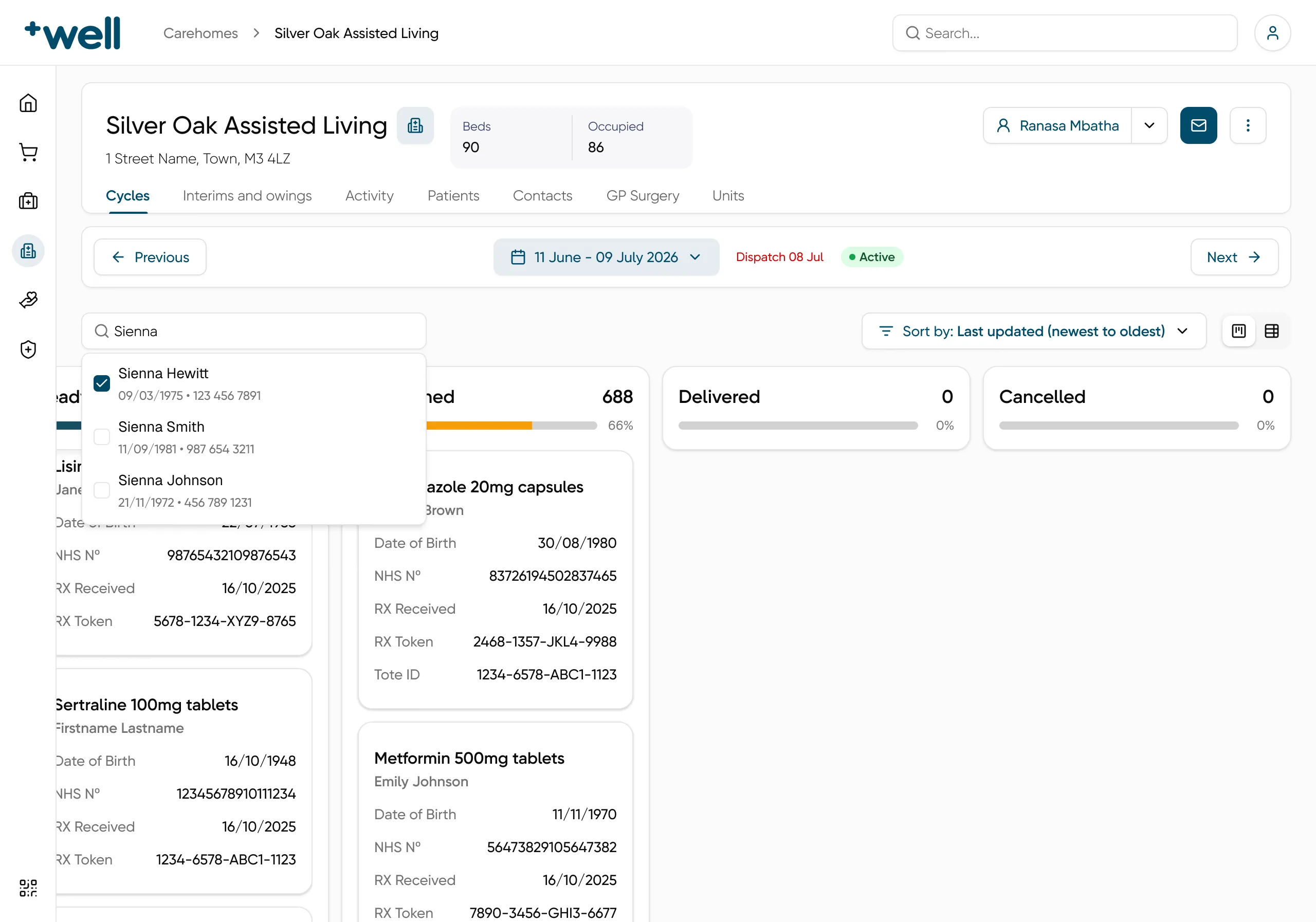
Find a patient across all stages

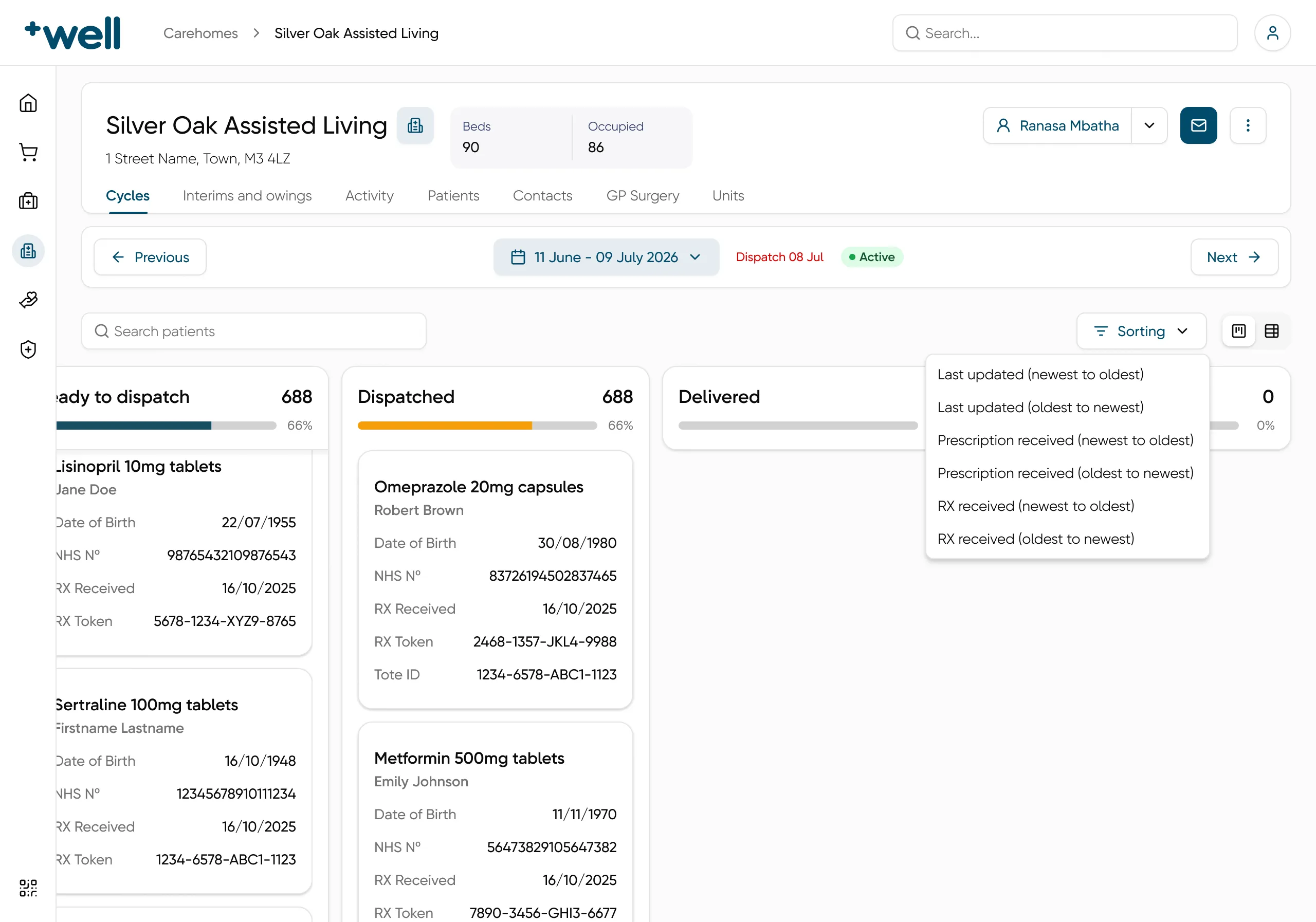
Search can pick more than one patient. Each result shows the date of birth and NHS number, so two people with the same name are easy to tell apart. The picked patients stay as chips above the board. Sorting goes by last update, prescription received or RX received.

Patient search for Sienna with three results, each with a checkbox, date of birth and NHS number.
Three patients called Sienna, told apart by date of birth and NHS number.

views

Two views on the same orders

The cycle only had a board. The board is right when the stage matters most, so people who work on one or two stages kept it. A table is easier to scan, sort by patient and search. With a board, search results scatter across columns. So I designed both on the same data, and people can switch.

A completed cycle as a table: patient name, date of birth, item name, Rx received date and a Delivered or Not delivered status on each row.
A completed cycle as a table: patient, date of birth, item, RX received date and status.

order

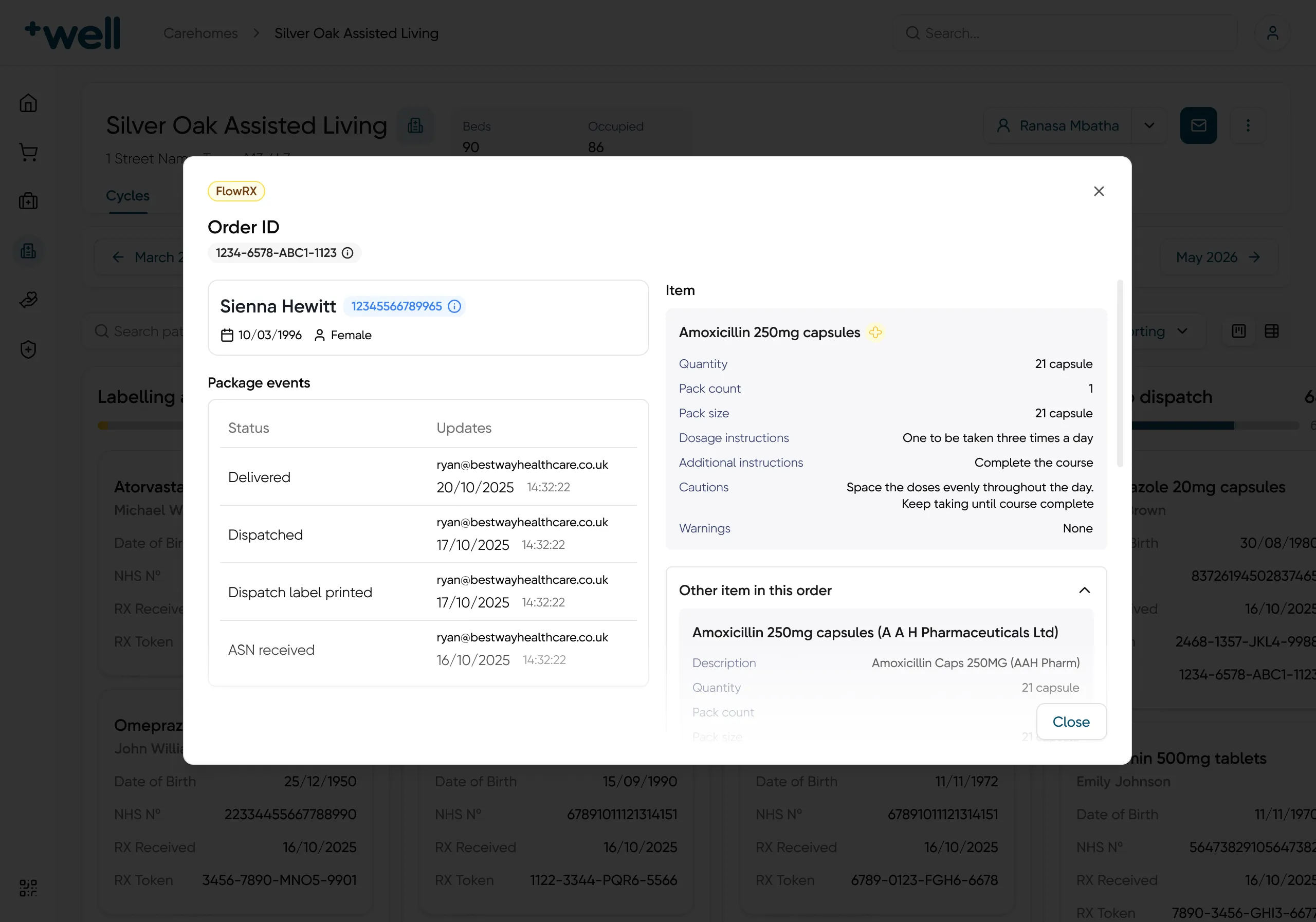
The full story of one order

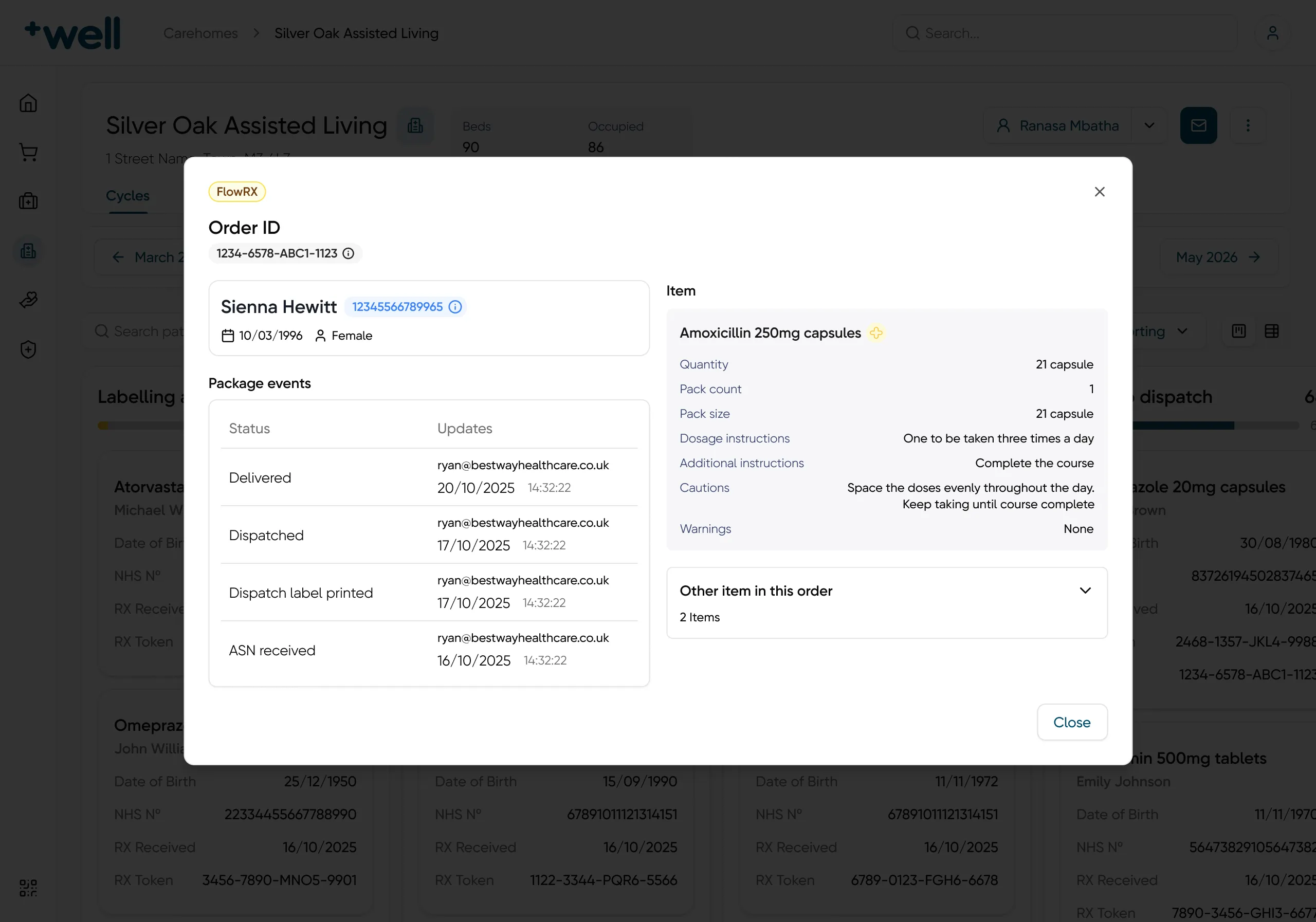
Click any order to see what happened to it. Each package event shows who changed it and when, from ASN received to Delivered. Next to it are the item, the dosage and the warnings, and any other items in the same order.

An order details window: the FlowRX stage, the order ID, the patient, four package events with an email and a time, and the item with quantity, dosage, cautions and warnings.
The package events, with who and when, next to the item details.

What changed

the outcome, and what I took from it

outcome

  • Went live on time.
  • The pharmacy team said the new 28-day cycle view helped them get through their work faster.
  • The team praised the table view. Before, they only had the board.

what I learned

  • You can fix a design system while you use it. I cleaned up each part when a flow needed it, so every fix had a real reason.
  • The risk lives in the states. Orders and patients change state often, and these are older people's medicines. Every state needed a clear name and a clear next step.
  • Talking to the people who use the backoffice showed me where they get stuck. It also showed me what clear means to them: one name for one thing, and nothing left to guess.

next case study