Rock Gomes

App Management

Pipedrive · 2021 · developer platform

Marketplace Manager is where developers connect their apps to Pipedrive, with JSON Schema, iframes or API calls. I redesigned the part where they create and manage their app extensions. The goal was to make every option clear, so developers can build apps that work like part of Pipedrive.

role
Senior Product Designer. The only senior designer in the integrations area, so I led the design there. I designed the flows, UI and forms with the PM and engineers.
context
Pipedrive's developer platform. Users are app vendors and developers who build integrations.
made
Flows and diagrams, the app extensions page, one form for each extension type.
tools
Figma, Miro

problem

Customers need integrations that work inside Pipedrive. Pipedrive cannot build them all. The platform did not give developers the tools to build apps that work like part of Pipedrive.

decision

Put schema-based and iframe-based extensions in two sections. Show each option as a block with a drawing and a short text.

result

Developers see all their options on one page, with a form for each extension. A check for the JSON file helped them a lot. The new page shipped in 2021.

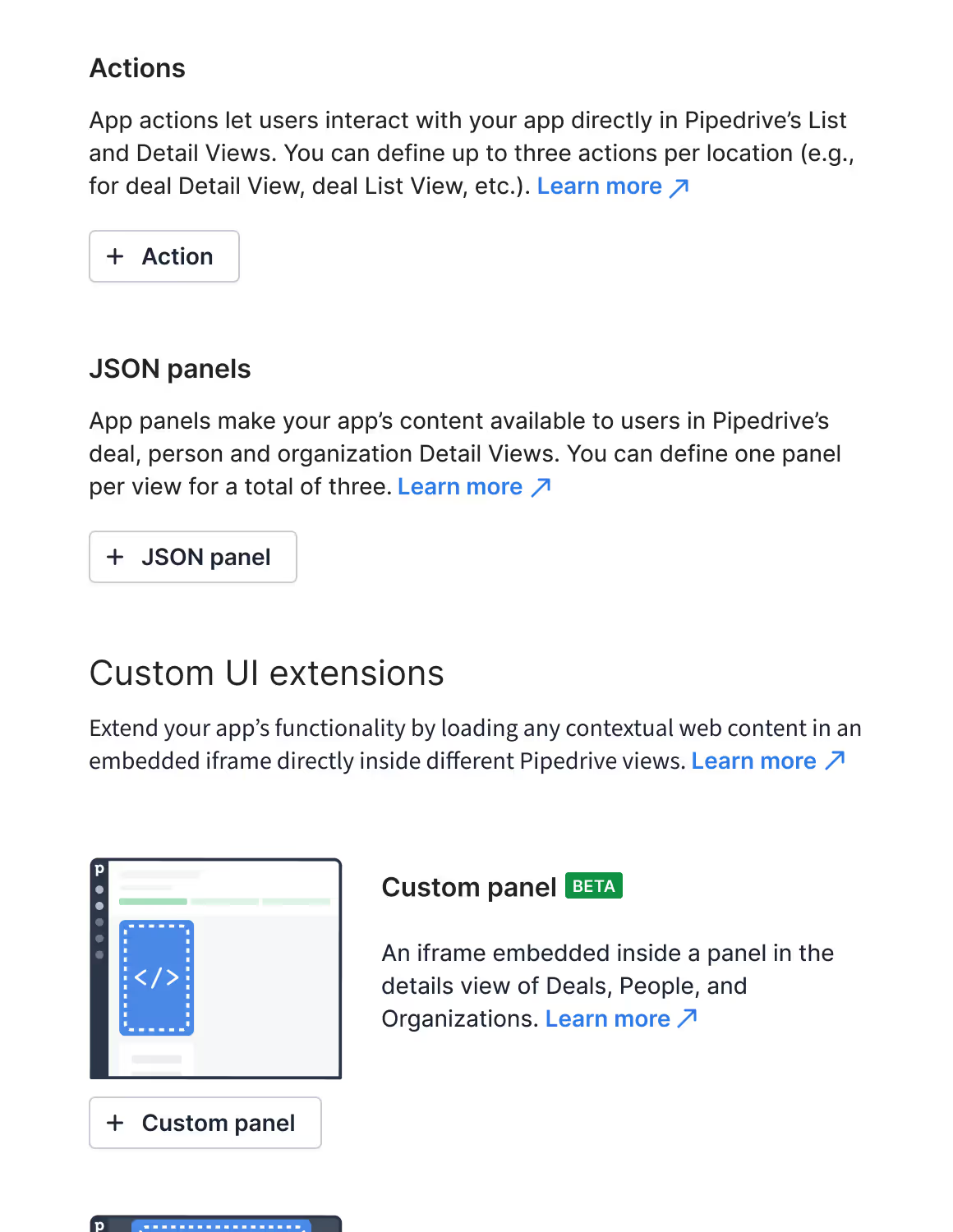
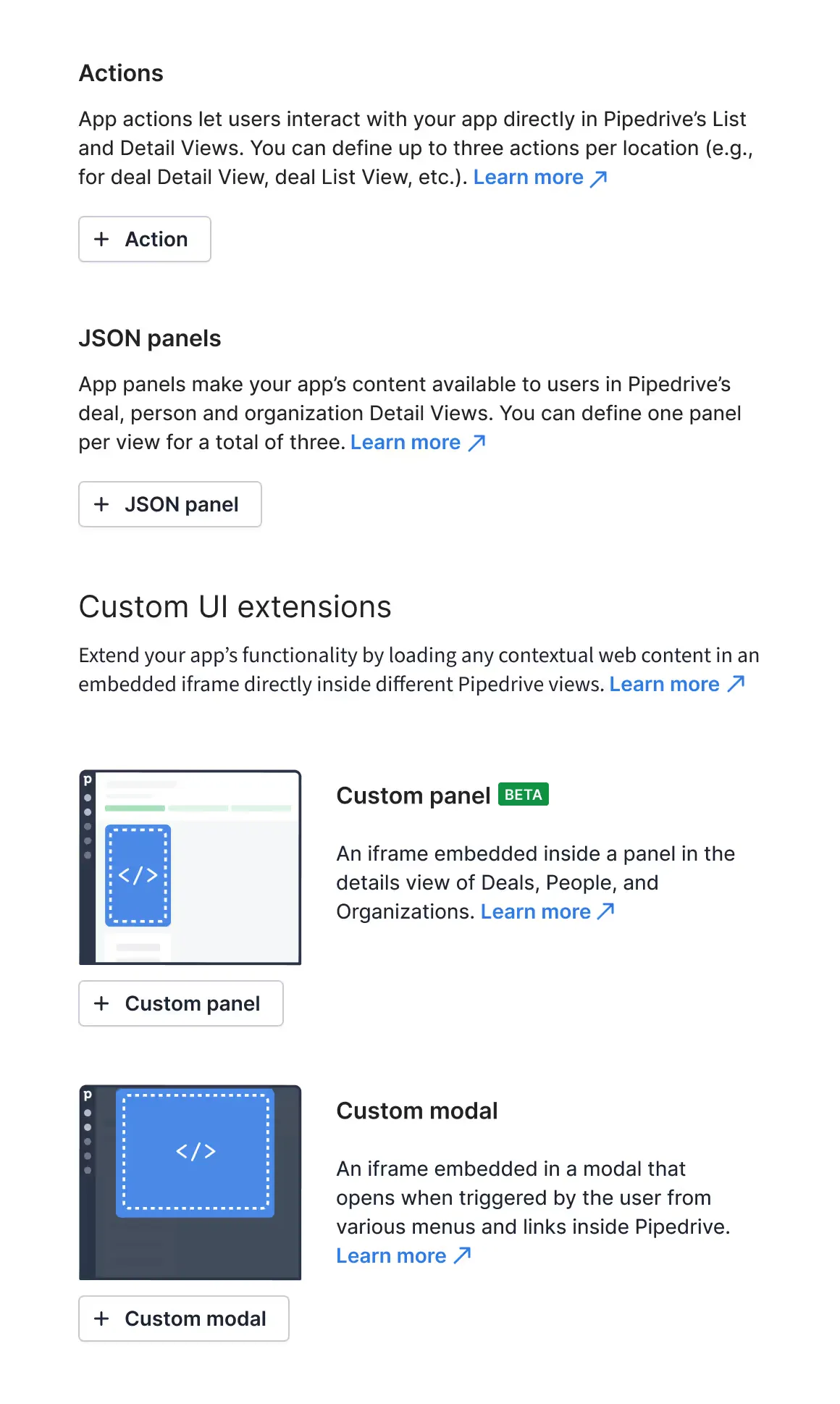
The app extensions page: Actions and JSON panels, each with a short text and an add button, then Custom UI extensions with a Custom panel block and a Custom modal block, each with a drawing and an add button.
The app extensions page: Actions and JSON panels at the top, Custom UI extensions (iframes) in their own section below.

Two decisions I would defend

make every option easy to find

decision 1 of 2

Group the options by how they are built

Developers told us they did not see all the options they had. So schema-based extensions (actions and JSON panels) and iframe-based extensions (custom panels and modals) got their own sections. A developer can start from the technology or from the place in Pipedrive. Either way, they see enough about each option to decide what to build and how.

  • based on developer feedback
The top of the app extensions page: Actions and JSON panels, each with a short text and an add button, then the Custom UI extensions section with its first block, Custom panel.

decision 2 of 2

A small drawing for each option

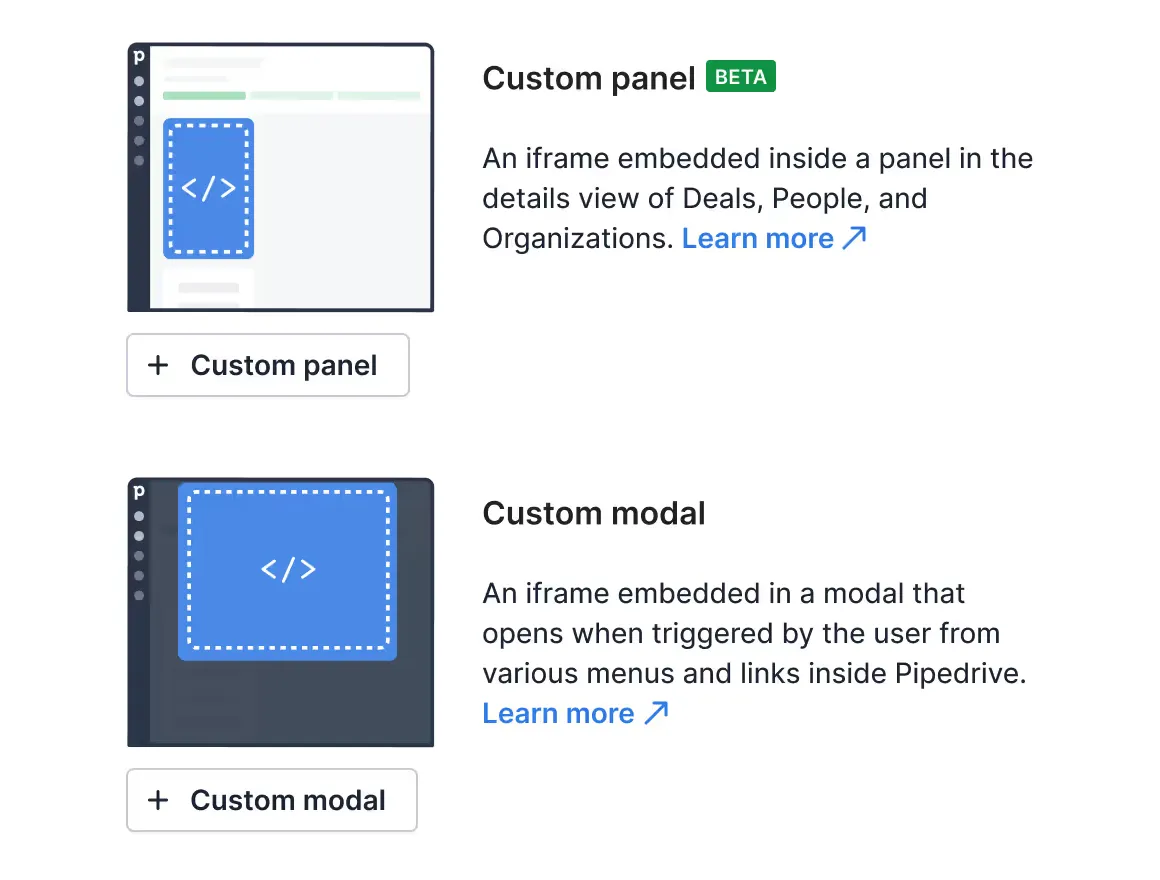
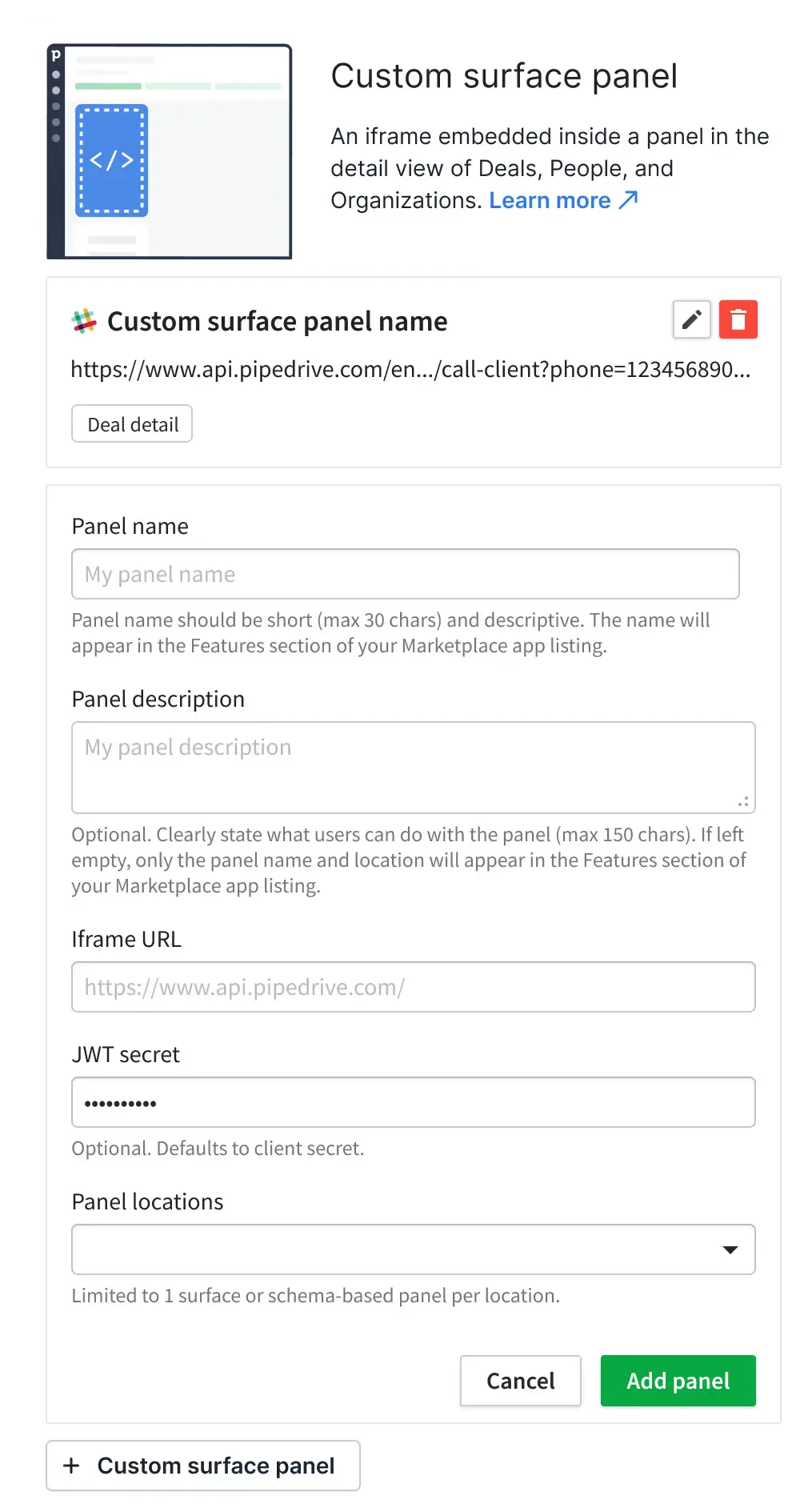
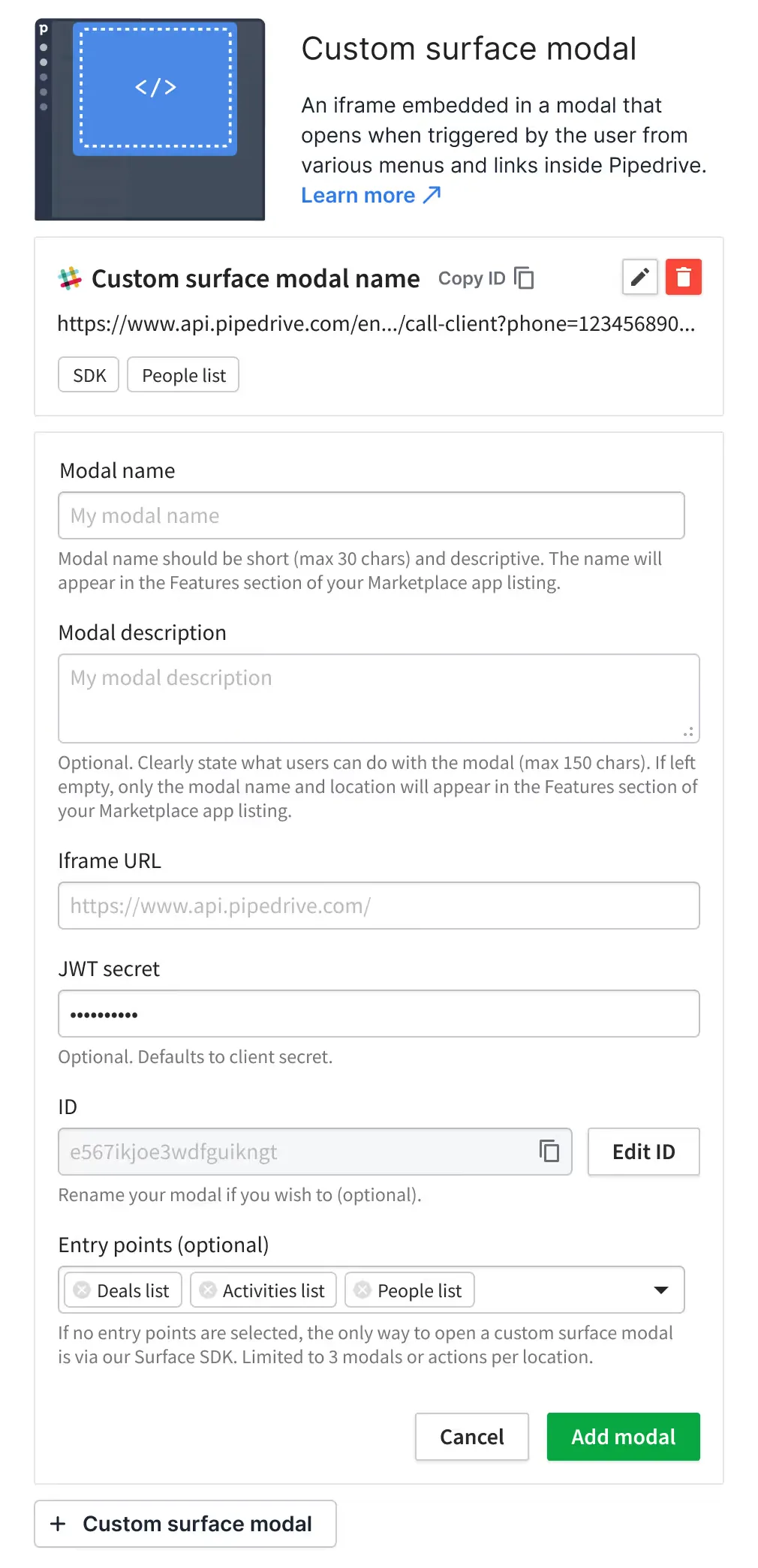
We wanted to make the options easier to find. A name like “Custom modal” does not tell developers much. A small drawing gives developers a hint of where the extension will appear in Pipedrive, so it is easier to pick one. The short text and the docs link give the details.

Two blocks: Custom panel (beta) with a drawing of an iframe in a side panel, and Custom modal with a drawing of an iframe in a modal. Each has an add button.
Custom panel and Custom modal: a drawing gives a hint of where the iframe appears.

How I got there

the process, short

research

Start from research we already had

Integrations were one of the top buying needs for bigger customers, and the most important topic for trial companies. So we knew the developer platform had to get better before I drew anything.

  • market study
  • HVC buying criteria
  • trial company research

flows

Flows first, with the PM and engineers

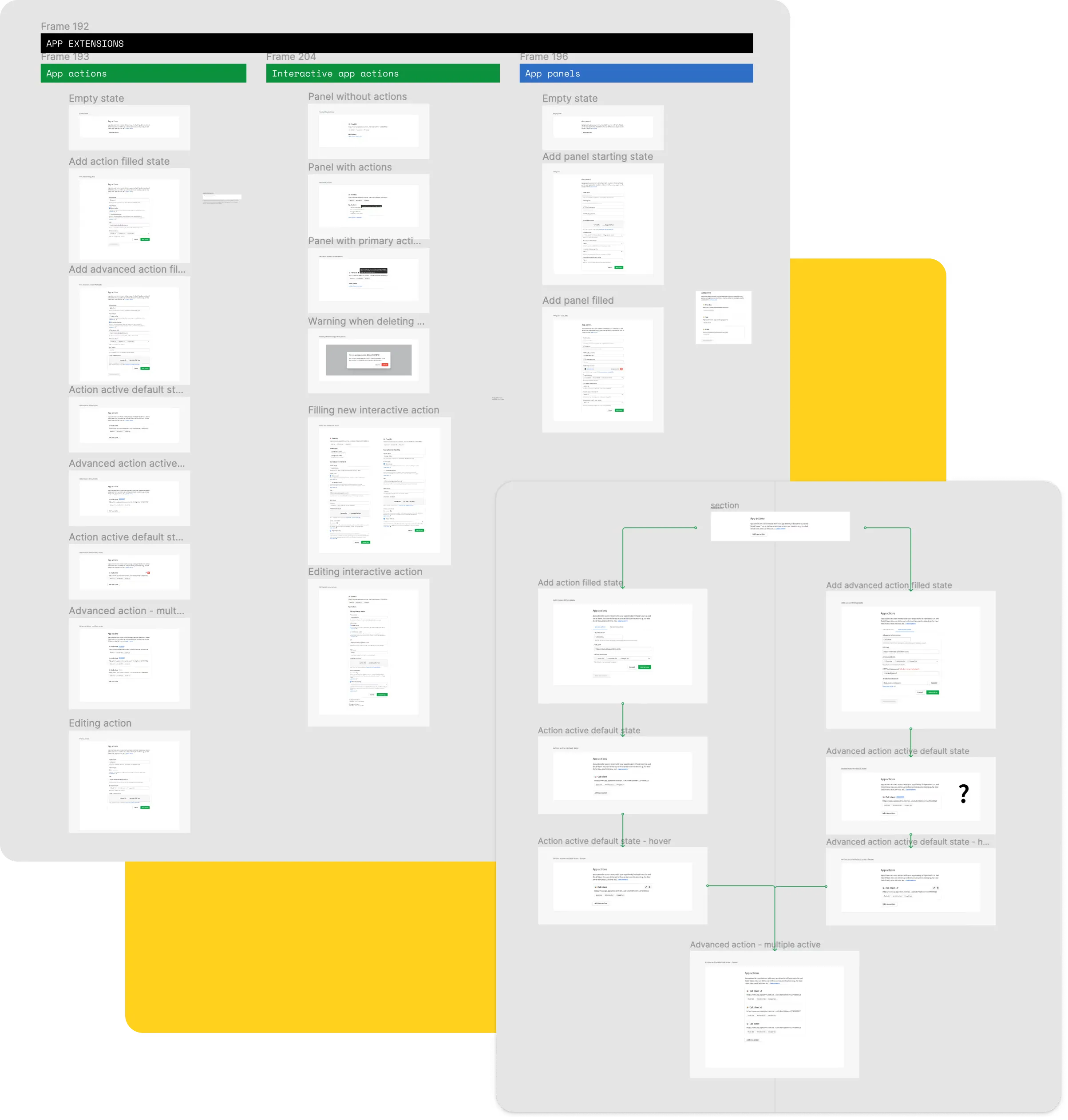
Together with the PM and engineers, we drew the first flows and diagrams. We checked the flow with internal and external developers, improved it, and then chose the final solution.

A Figma board: columns for App actions, Interactive app actions and App panels, each with empty, filled, active and editing states, and a flow diagram between the states.
The working file after a few rounds: every state of each extension type, and the flow between them.

One form for each extension

what a developer fills in

forms

Short forms, with the limits under each field

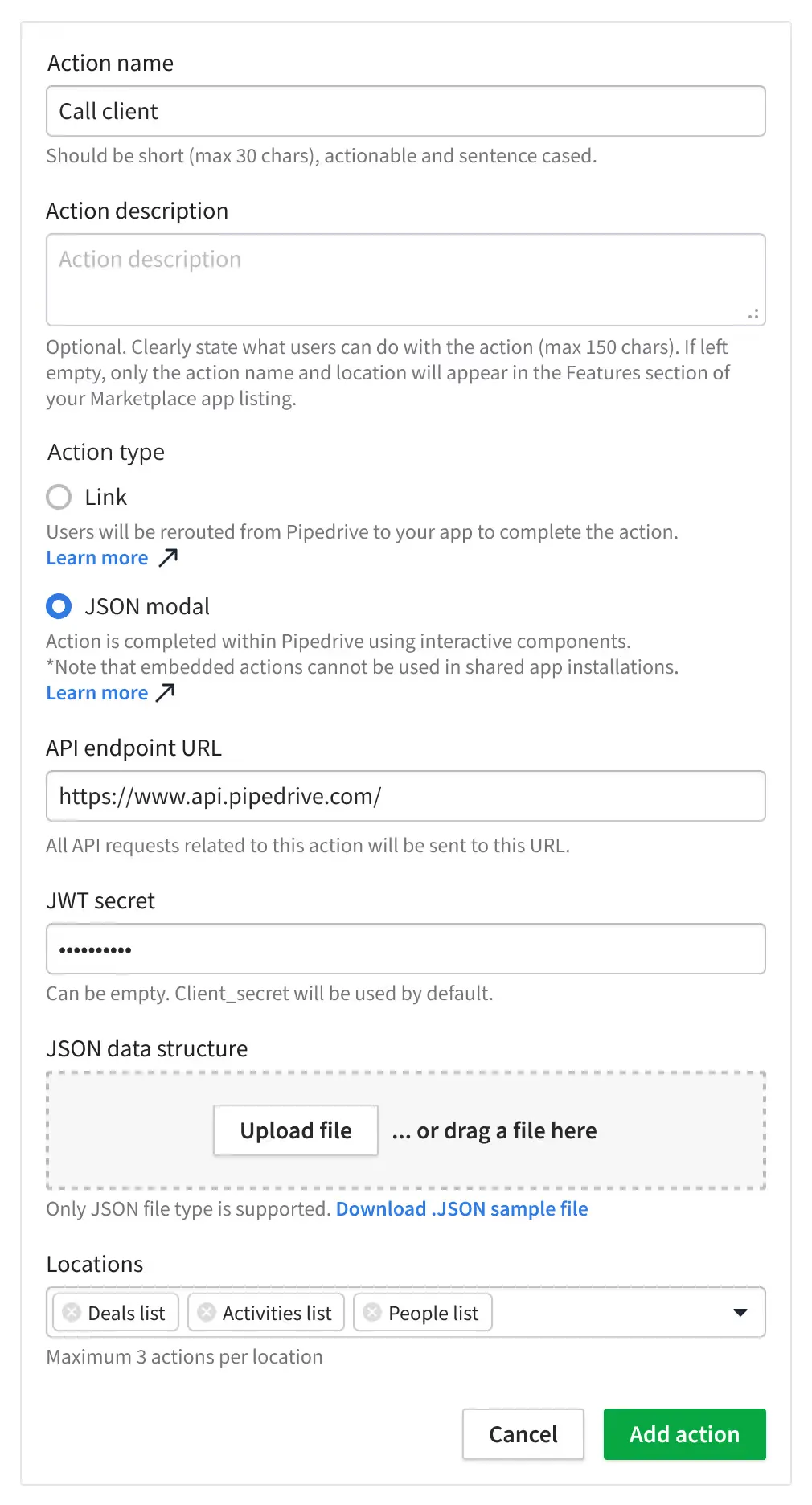
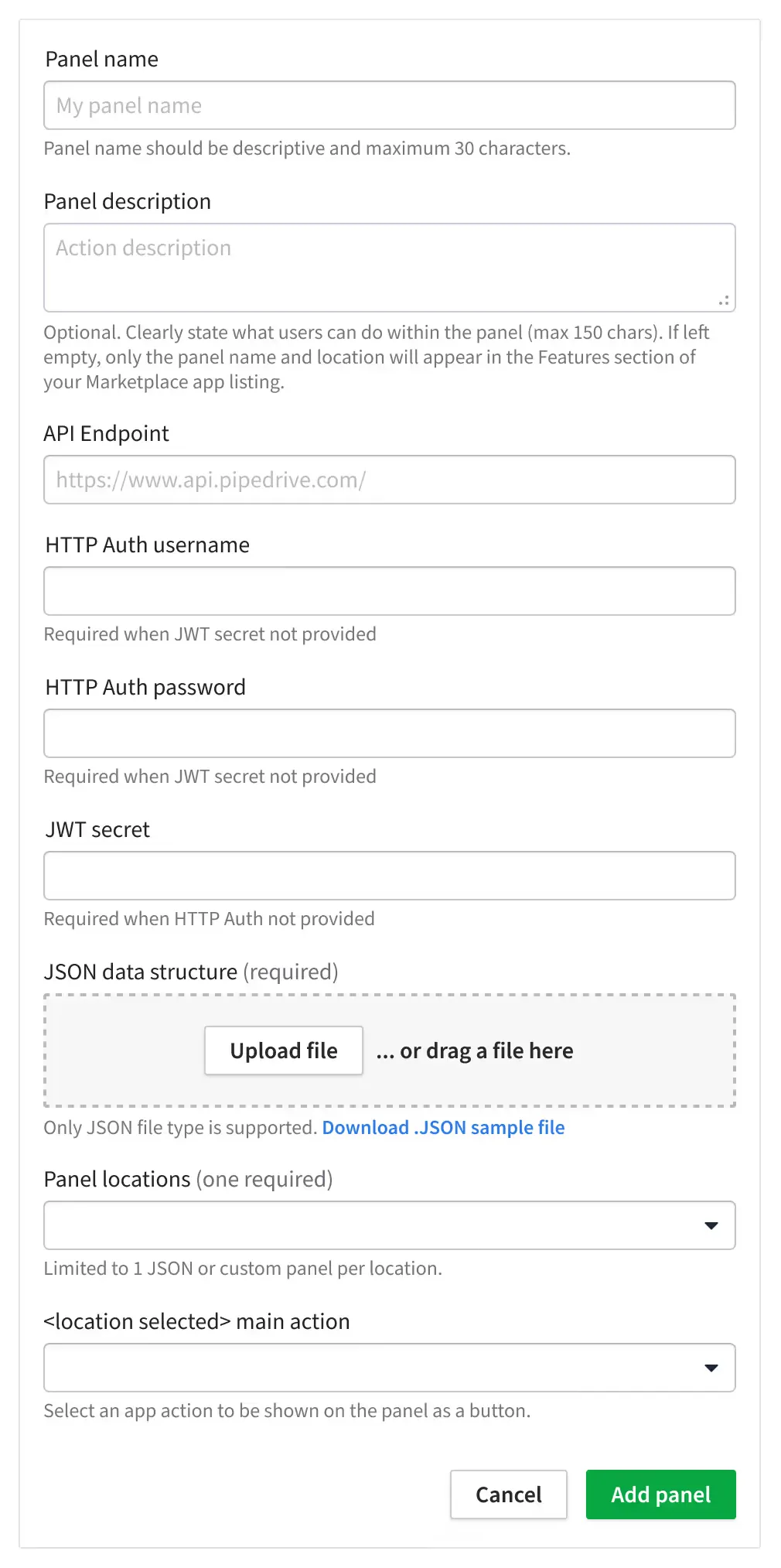
Each extension type has its own form: a name, a description, a URL or a JSON file, and the places in Pipedrive where it shows. The limits, like 30 characters for a name, are shown under each field. During testing, we got errors from badly formatted JSON files. So the engineers came up with a check for the uploaded file, which was a great help for developers.

The Action form: name, description, action type (Link or JSON modal), API endpoint, JWT secret, JSON file upload and locations.
Action: a link or a JSON modal, and up to three actions per location.

What changed

the outcome, and what I learned

outcome

  • Schema-based and iframe-based extensions in two clear sections
  • One form for each extension type
  • A check for the JSON file that was a great help for developers
  • A base for new ways to integrate, which the team was already working on
  • Shipped in 2021

what I learned

  • With good research and clear steps, designing the flow was easy.
  • The hard work was turning the flow into a visual design and handling the edge cases.

next case study