Rock Gomes

Floating Iframe

Pipedrive · 2022 · integration

A floating window that gives integrations more ways to work inside Pipedrive, starting with calling apps. I ran the interviews, the design rounds and the prototype tests. It was my last project at Pipedrive before the layoffs. It shipped, and the calling app JustCall uses it.

role
Senior Product Designer. Interviews, design rounds, prototypes and tests.
context
Pipedrive integrations. Two kinds of users: partner companies, and the people who use Pipedrive every day.
made
Partner and user interviews, many design rounds, four test prototypes, one winning prototype.
tools
Figma, Miro

problem

Calling integrations are used a lot, but they had no good way to sync call data with Pipedrive.

decision

A floating window for the integration: always one click away, easy to move or minimise, and it links back into Pipedrive.

result

Four prototypes tested with users, and one clear winner. It shipped, and JustCall uses it for its Quick access feature.

embed.figma.com/proto/SCXg3AbVLFUSlZsD1HJFfP/Pipedrive?page-id=802%3A6719&node-id=802-32024&node-type=frame&viewport=1300%2C-1582%2C0.25&scaling=contain&content-scaling=fixed&starting-point-node-id=802%3A32024&embed-host=share
The winning prototype in Figma, a still picture
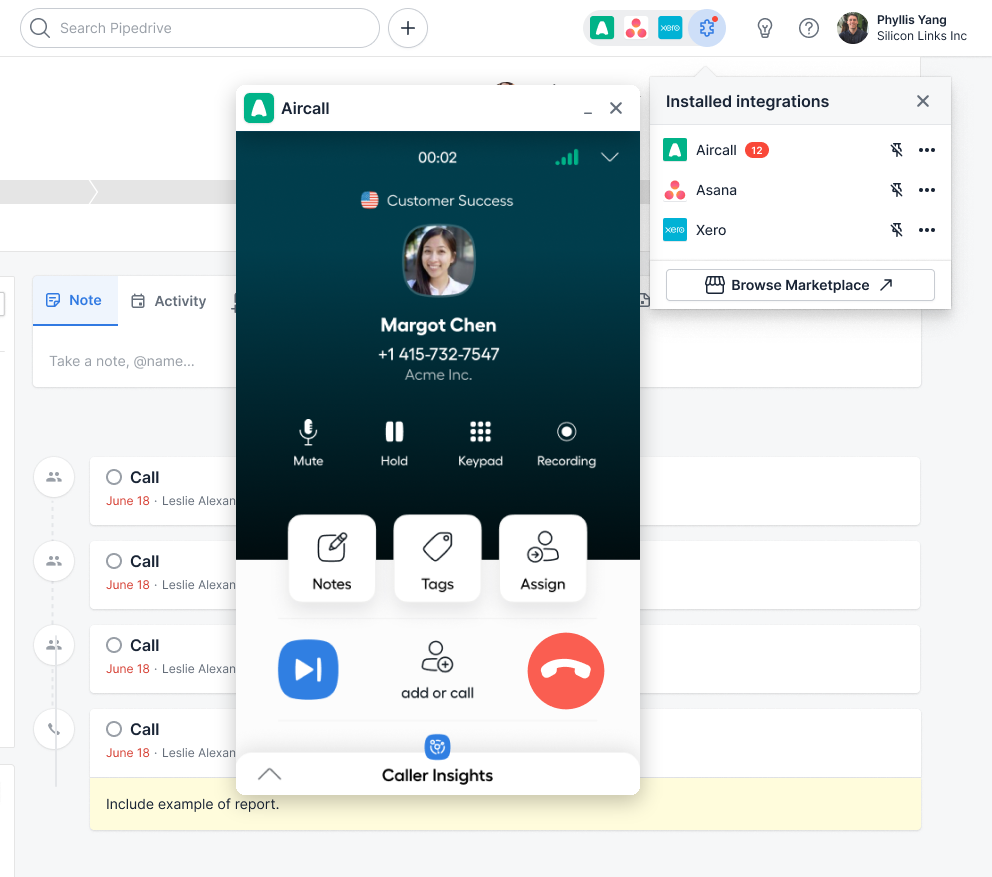
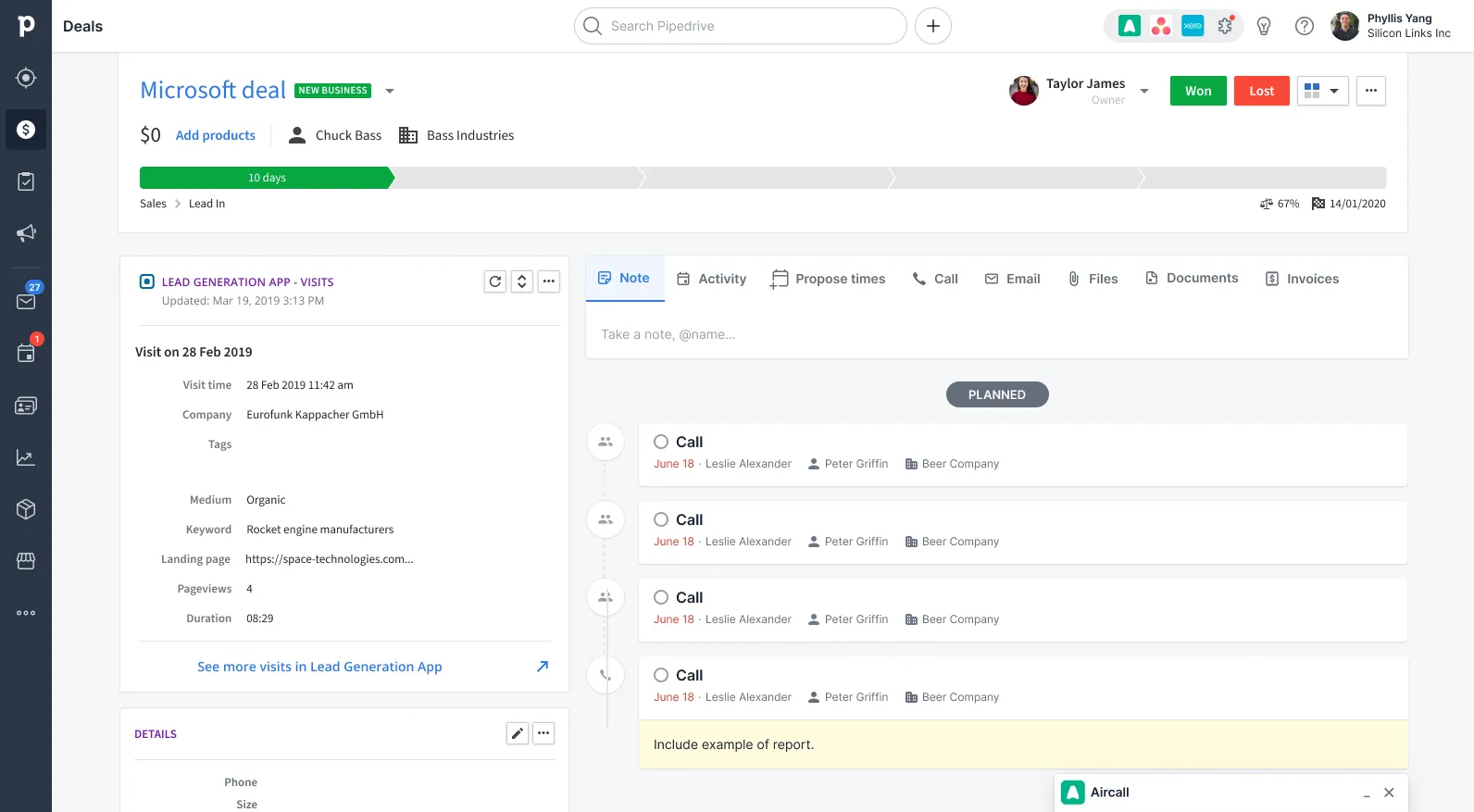
The winning prototype: a calling app floats over a deal page in Pipedrive. Answer a call, move the window or minimise it.

Two decisions I would defend

where to start, and what to build

decision 1 of 2

Start with calling apps

The data showed that people use calling integrations a lot, and these integrations had no good way to sync call data. We looked at a few kinds of integrations to start with. Calling apps were the best first test of the idea. Also, Pipedrive had just dropped its plan for its own calling feature, so we wanted to make the calling integrations better.

  • used a lot
  • no good way to sync call data

decision 2 of 2

A floating window that users can move or minimise

Users wanted quick access to the integration that is always there, and also a way to hide it. They wanted alerts. They also wanted links from the app into Pipedrive, for example to open the page of the person who is calling. So we put the app in a floating window. Users can move it anywhere on the page or minimise it.

A Pipedrive deal page with the Aircall window open during a call with Margot Chen, and the installed integrations menu open from the top bar: Aircall with a badge, Asana and Xero.

How I got there

the process, short

interviews

Talk to partners and users

With partners, my team and I talked about the data they could share, pricing models and their experience with other CRMs. With users, I guided the conversation so they answered my questions without me asking them directly.

  • 4 or 5 partner calls
  • 10 to 12 user interviews

design rounds

Work with the whole design team

The idea changed the core product, so the whole design team had to agree on it. I shared drafts with engineers, the product manager and other designers all the time. It took many design rounds.

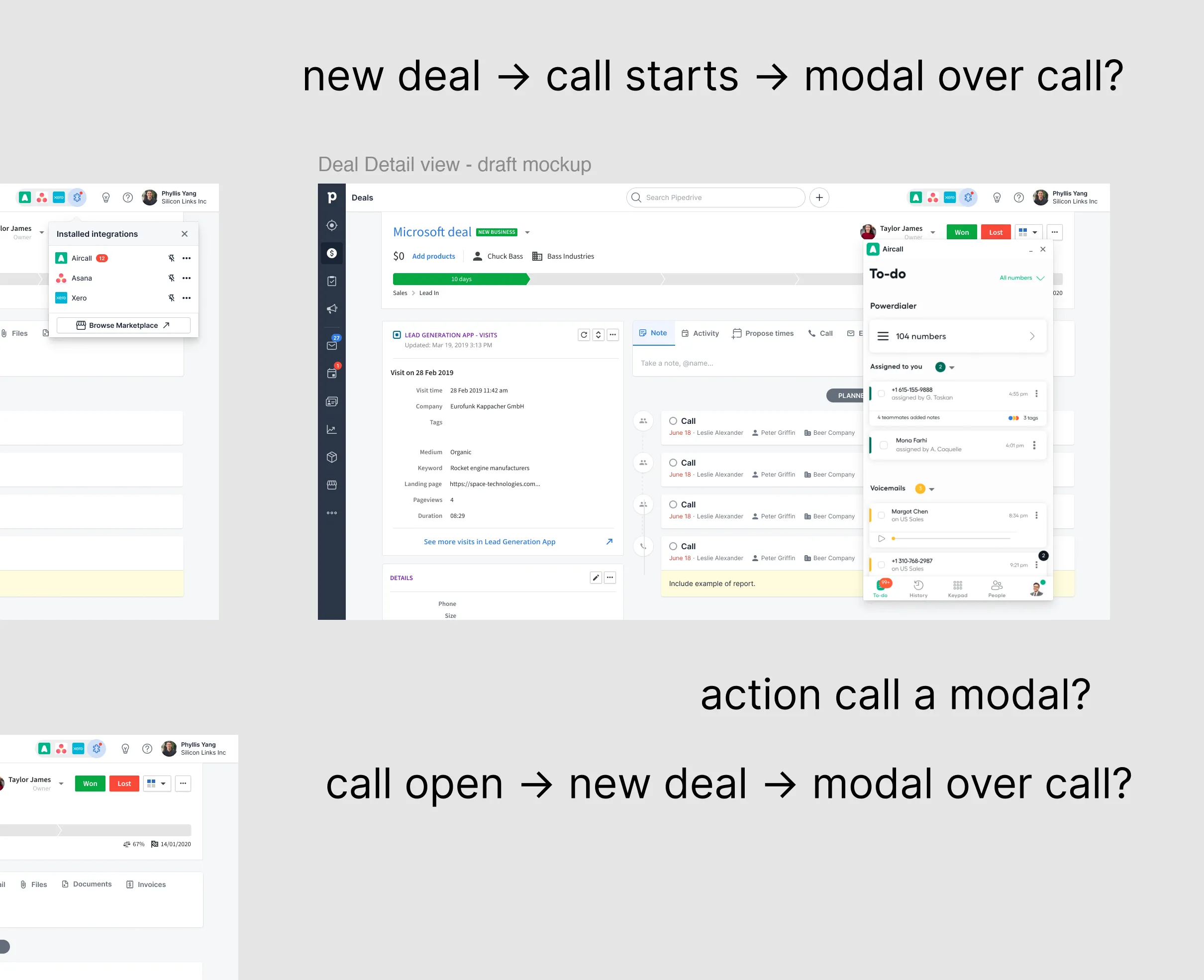
Part of the Figma file: Pipedrive deal page mockups with the Aircall window, and big notes next to them: "new deal, call starts, modal over call?", "action call a modal?" and "call open, new deal, modal over call?".
Part of the shared design file. The team wrote questions in big type right next to the mockups.

testing

Four prototypes, two per interview

Each prototype tested a different idea, for example a different entry point. In each interview, users did the same task in two prototypes and compared them. The order changed in every interview.

  • 4 prototypes
  • 2 per interview
  • order changed each time
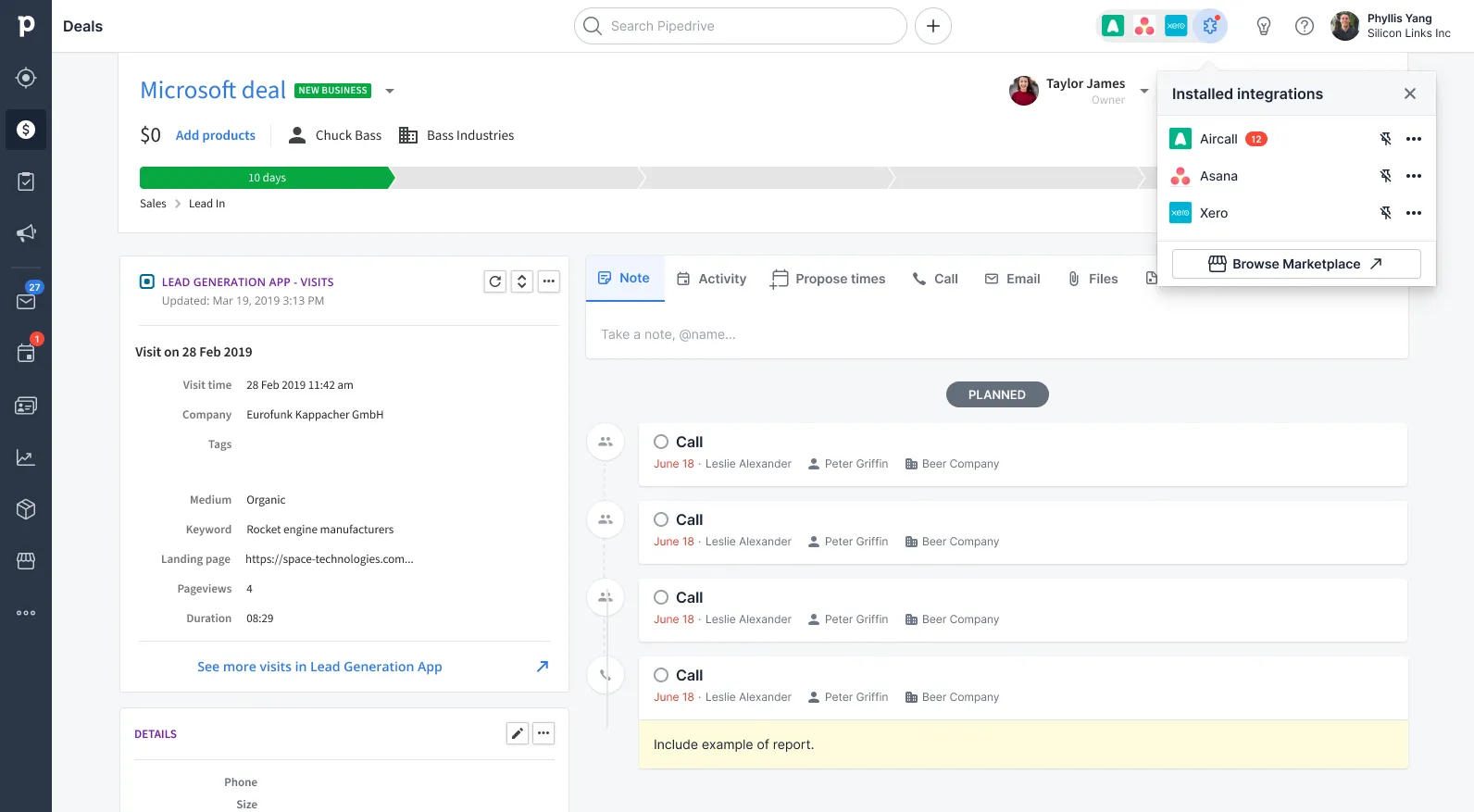
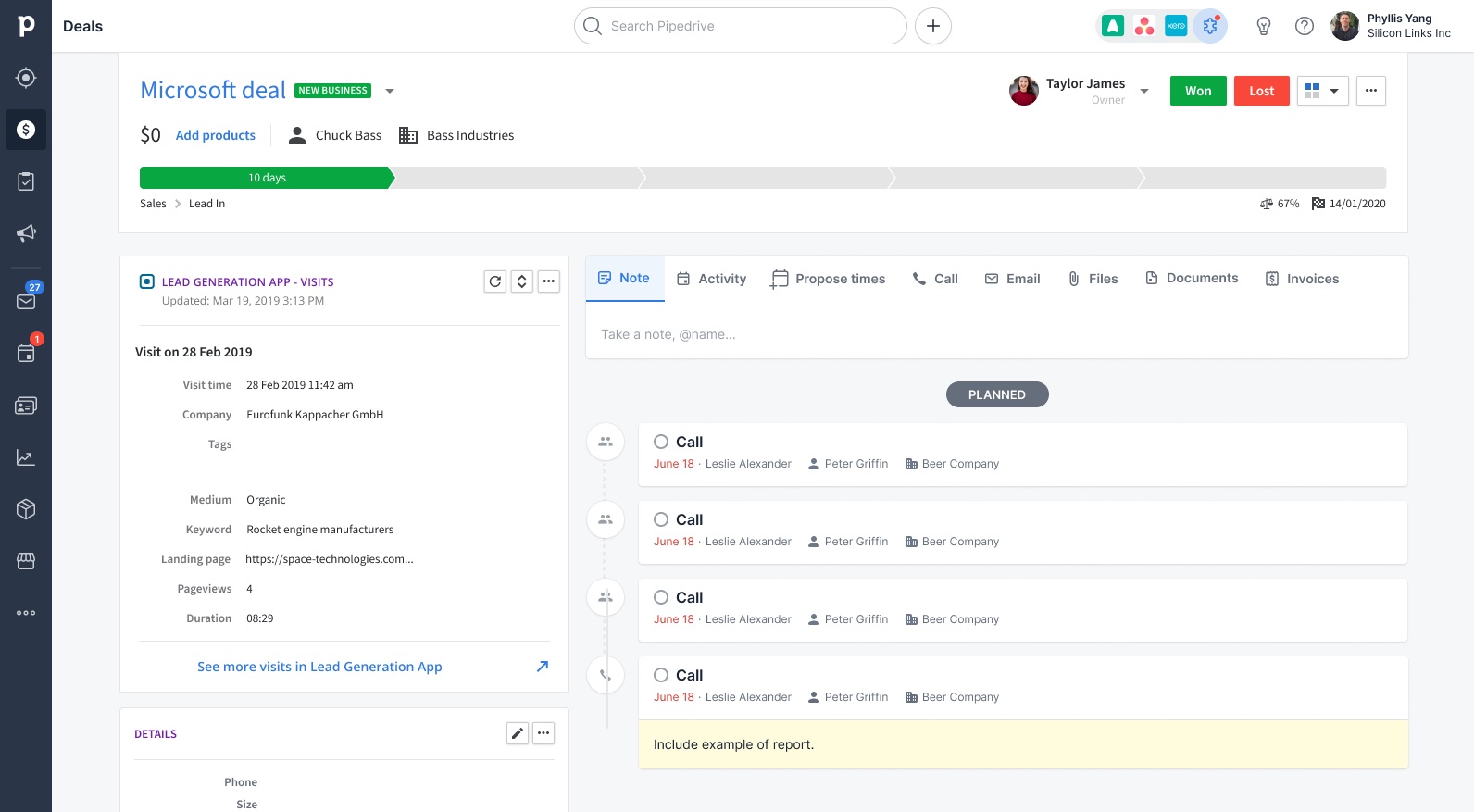
  1. A Pipedrive deal page with the installed integrations menu open from the top bar: Aircall, Asana and Xero. 1. Open
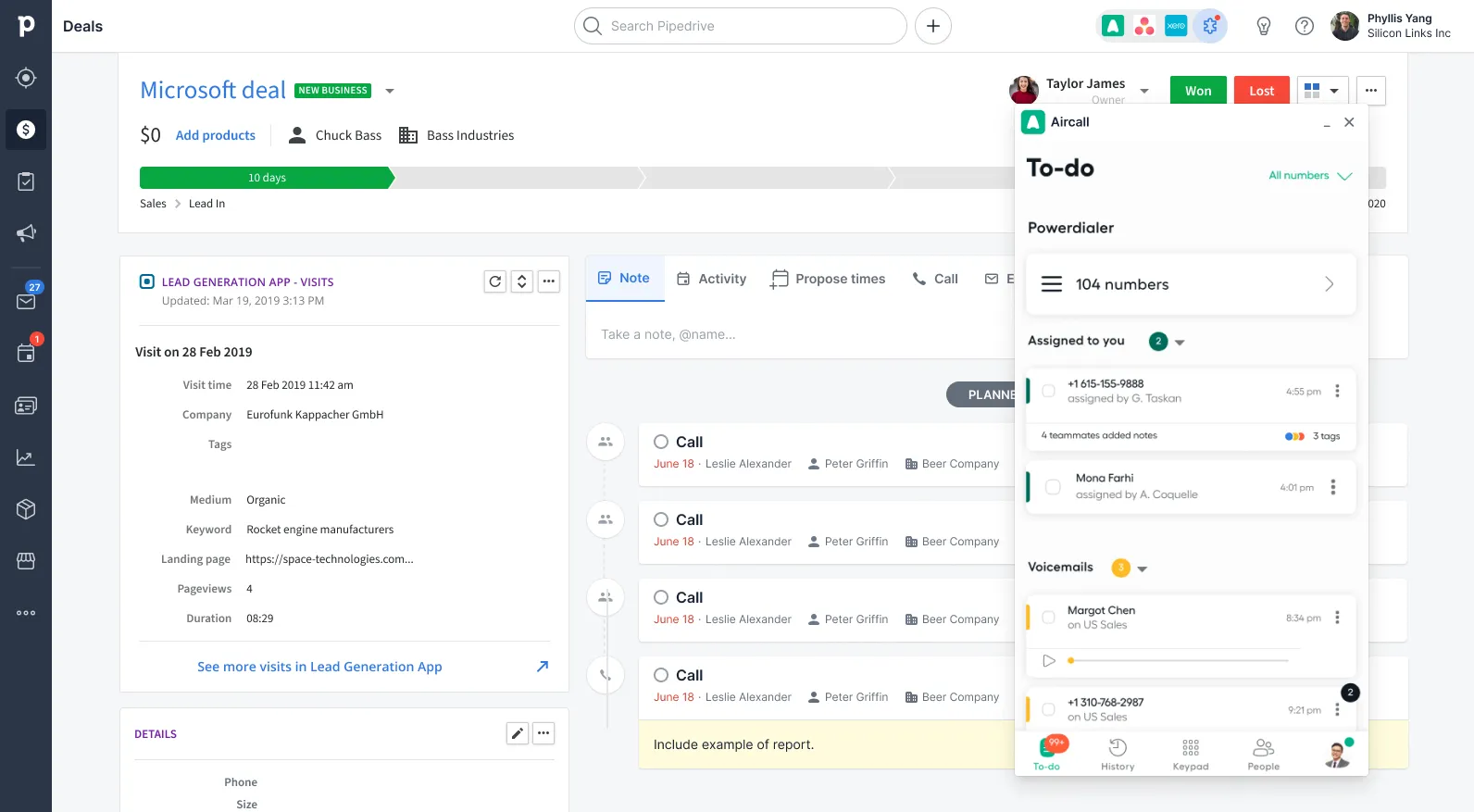
  2. A Pipedrive deal page with the Aircall window open on the right, showing a to-do list of calls and voicemails. 2. Use
  3. A Pipedrive deal page with Aircall minimised to a small bar at the bottom right. 3. Minimise
The winning prototype: open the app from the top bar, use it over the deal, minimise it.

What I would measure

and what I learned

after launch

It shipped, with a part for calling apps

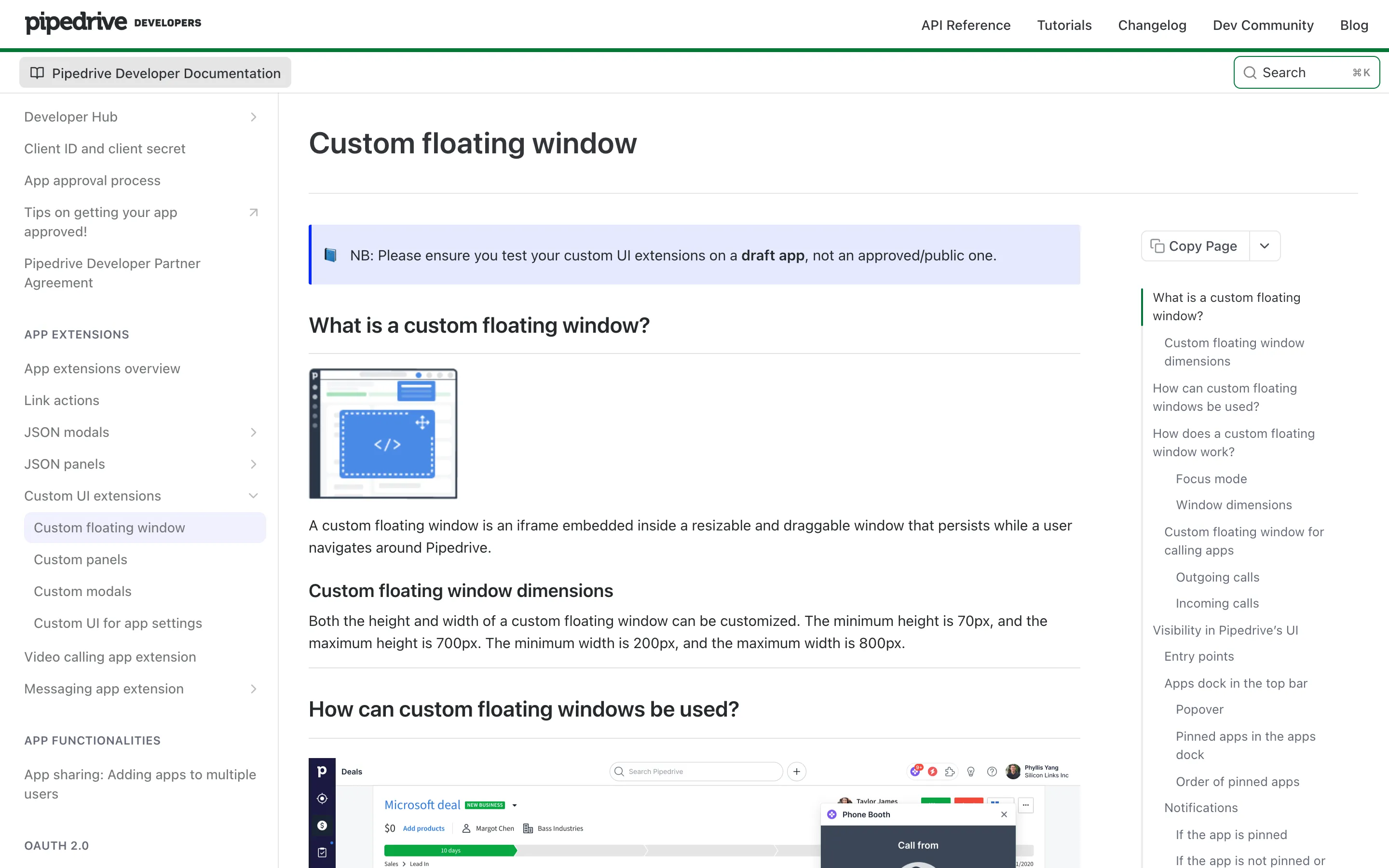
Pipedrive’s developer docs describe the floating window, with a part just for calling apps. JustCall uses it for its Quick access feature.

The Pipedrive developer docs page "Custom floating window". It explains what the window is and its sizes, and the page menu lists a part called "Custom floating window for calling apps".
Pipedrive's developer docs for the custom floating window.

what I would measure

  • How many calls are logged in Pipedrive through the floating window
  • How often users open a Pipedrive page from the window
  • How many calling partners adopt it
  • Fewer switches between the calling app and Pipedrive (from interviews or session data)

what I learned

  • A change to the core product needs the whole design team involved from the start.
  • Showing two prototypes in one session, in a different order each time, let users compare the ideas directly.

next case study